Recently, Google launched incredibly powerful AI models like Nano Banana Pro and Veo 3 with impressive image and language processing capabilities. However, the biggest hurdle is the very limited number of free trials (just a few turns per day for some Gemini accounts).
Want to use them freely without worrying about the cost? Good news: you can get $300 USD in free credit from Google to use over 3 months. This article will guide you step-by-step on how to "hunt" for this deal, based on insights from Yuto Tech.
What do you need to prepare?
Before starting, make sure you have the following two things:
A new Google account: It must be an account that has never received Google Cloud Credits before, and 2-Step Verification must be enabled.
International payment card (Visa/Mastercard): Don't worry, you won't be charged. Google uses the card solely for verification.
Process to claim your free $300 from Google
The steps might be a bit complex for those not tech-savvy, but I'll guide you as clearly as possible. Also, check out the video at the beginning of the post to follow along easily.
Step 1: Access Google AI Studio
First, visit: https://aistudio.google.com. This is where developers and power users experience the latest AI models.
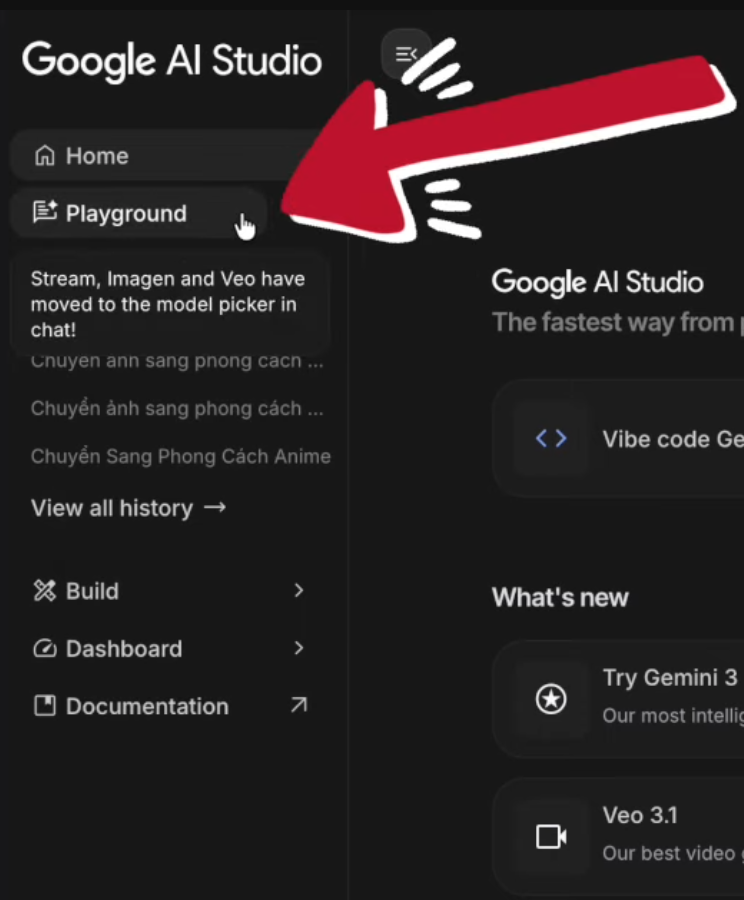
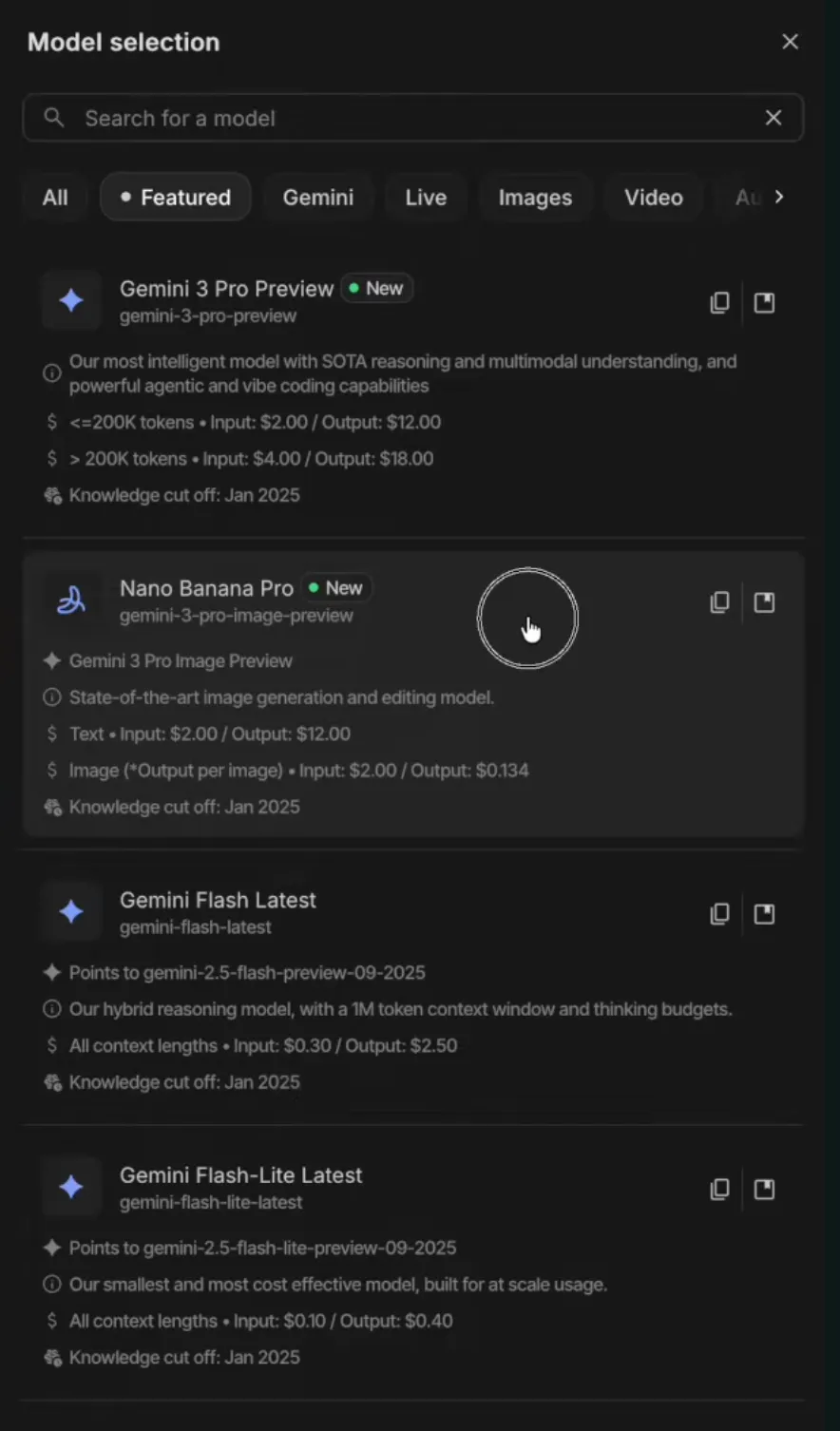
On the AI Studio screen, select Playground from the left menu, then in the model selection section, choose Nano Banana Pro.
Step 2: Create a new project
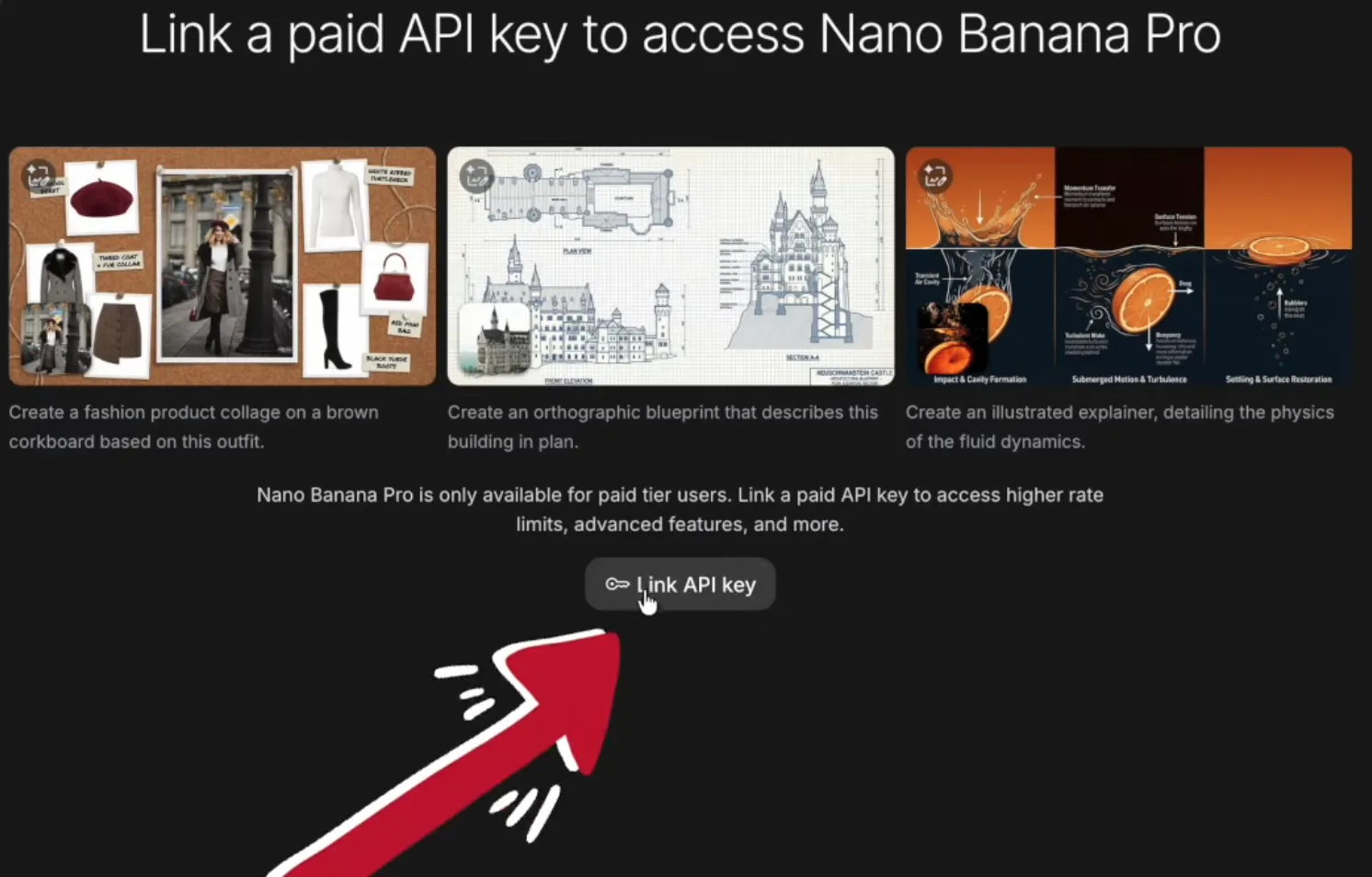
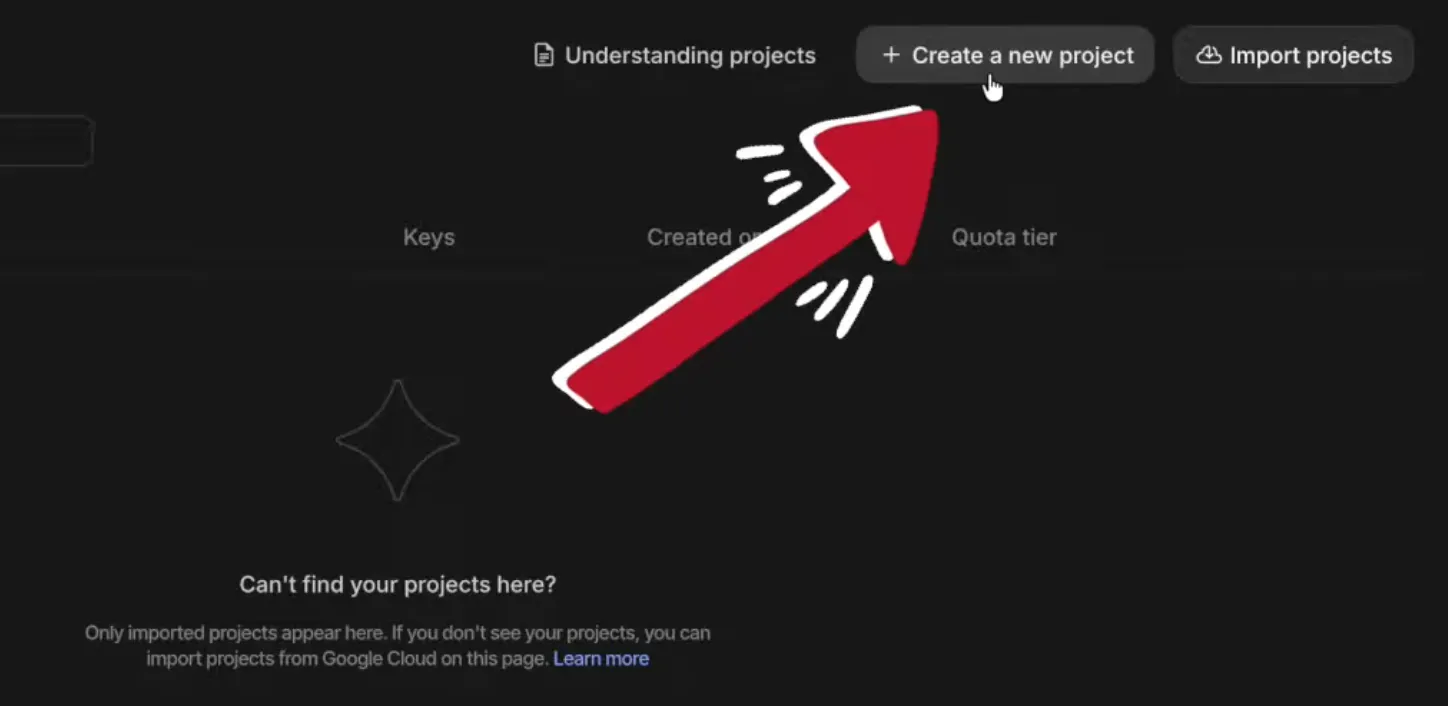
At this point, you can't use it immediately because you lack an API Key and haven't set up billing. Click the "Link API Key" button, then select "Go to Projects Page".
On the project management screen, select "Create a new project" to create a new project, and you can enter any name you like for the project.
Step 3: Create an API key
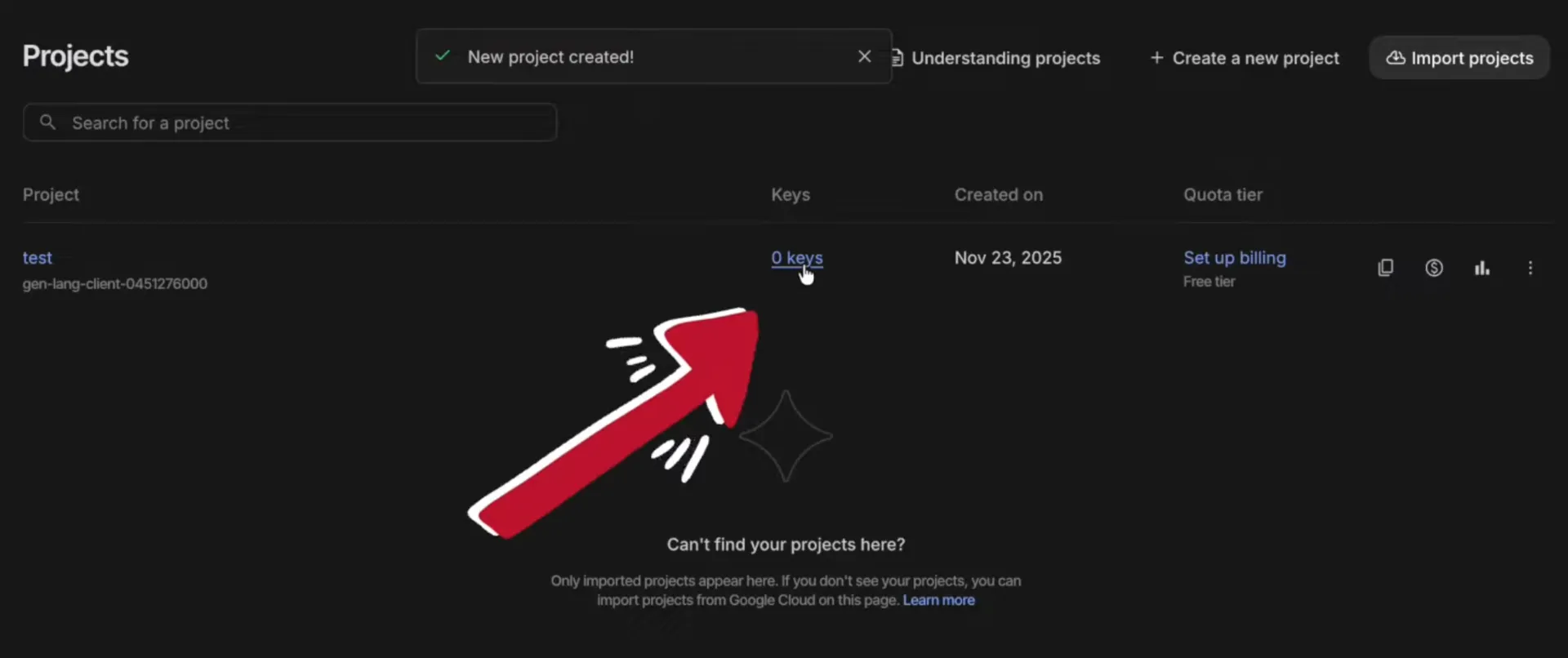
After creating your first project, you'll see a screen like the one below. To create an API key, click on the "0 keys" section to start.
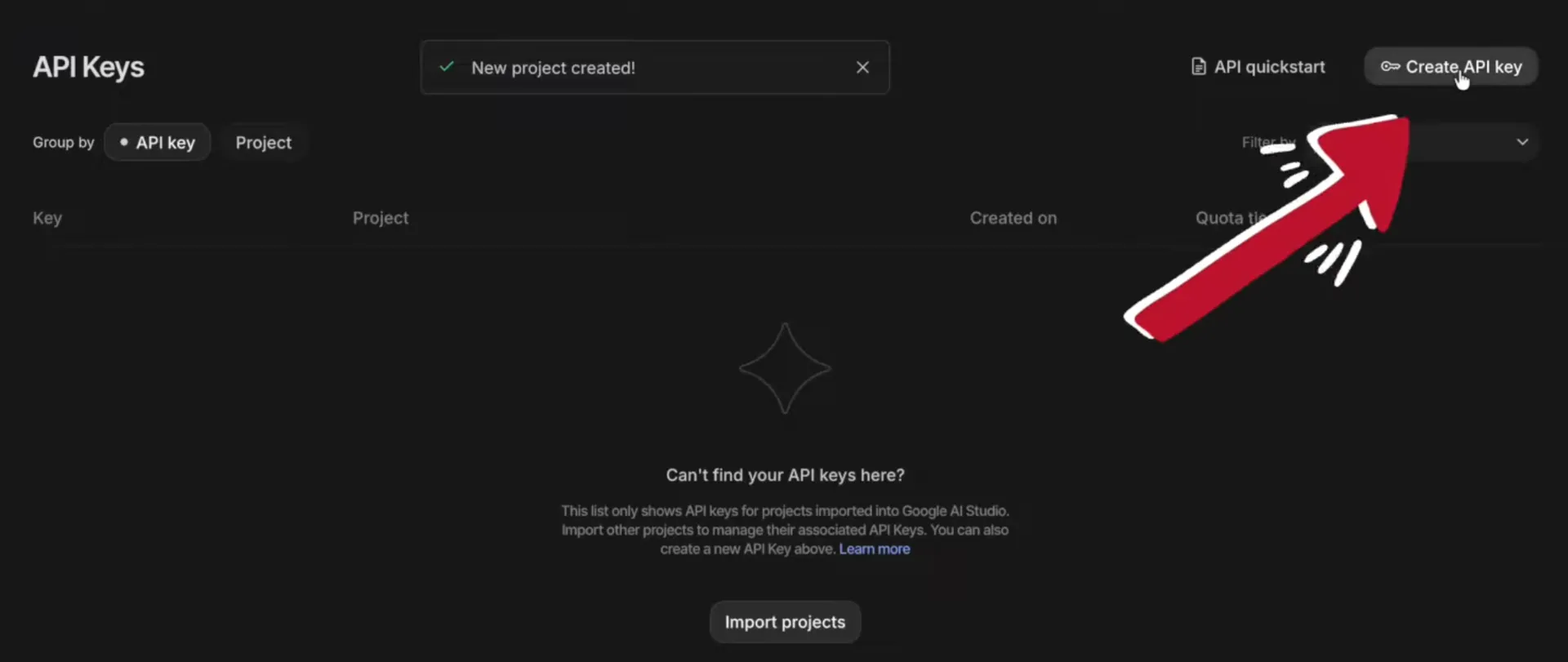
Next, click the "Create API key" button to generate a new key.
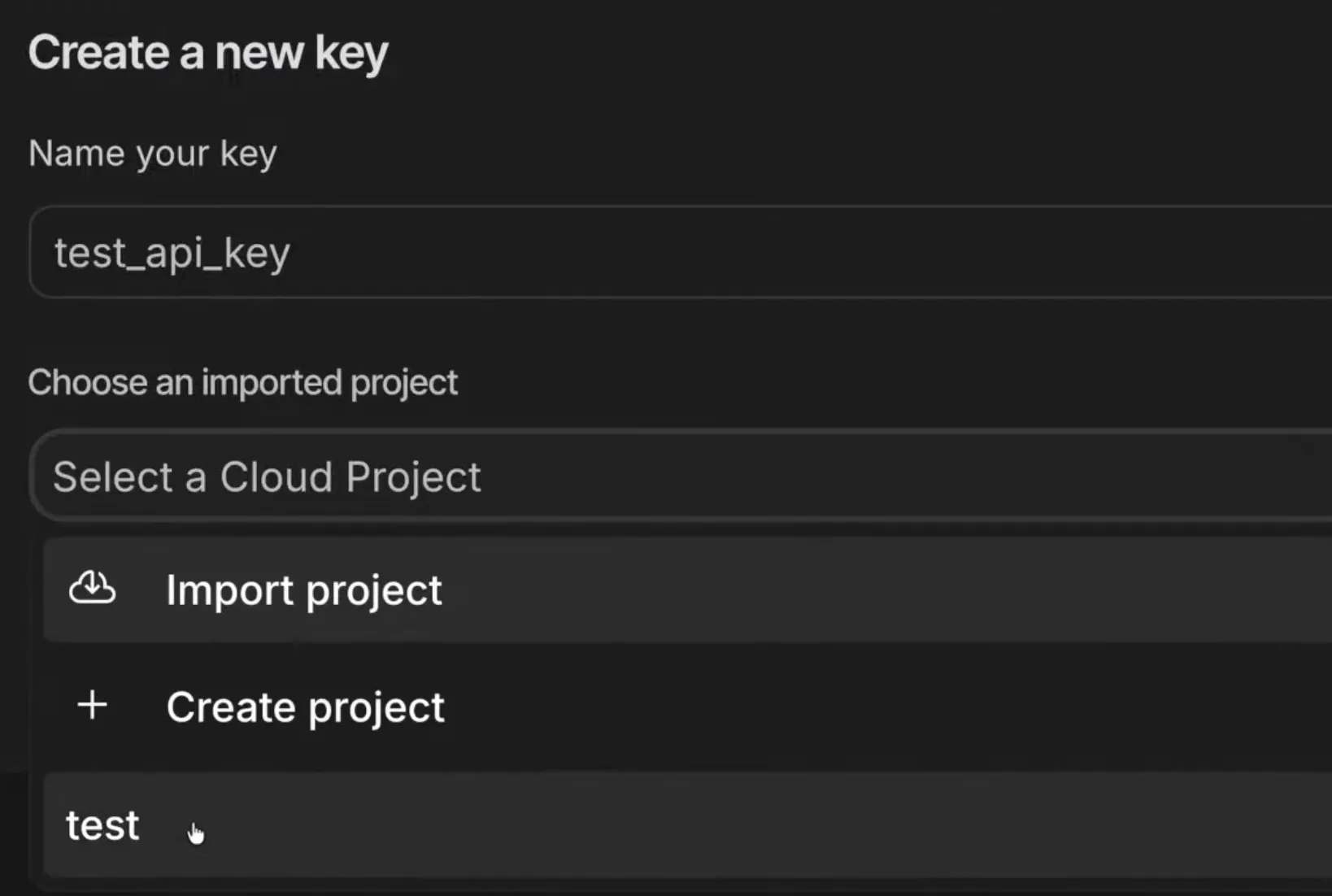
You can enter any name for the API key. However, in the project selection section for this API key, you must select the project you just created. Then click "Create key" to confirm.
Step 4: Set up payment method
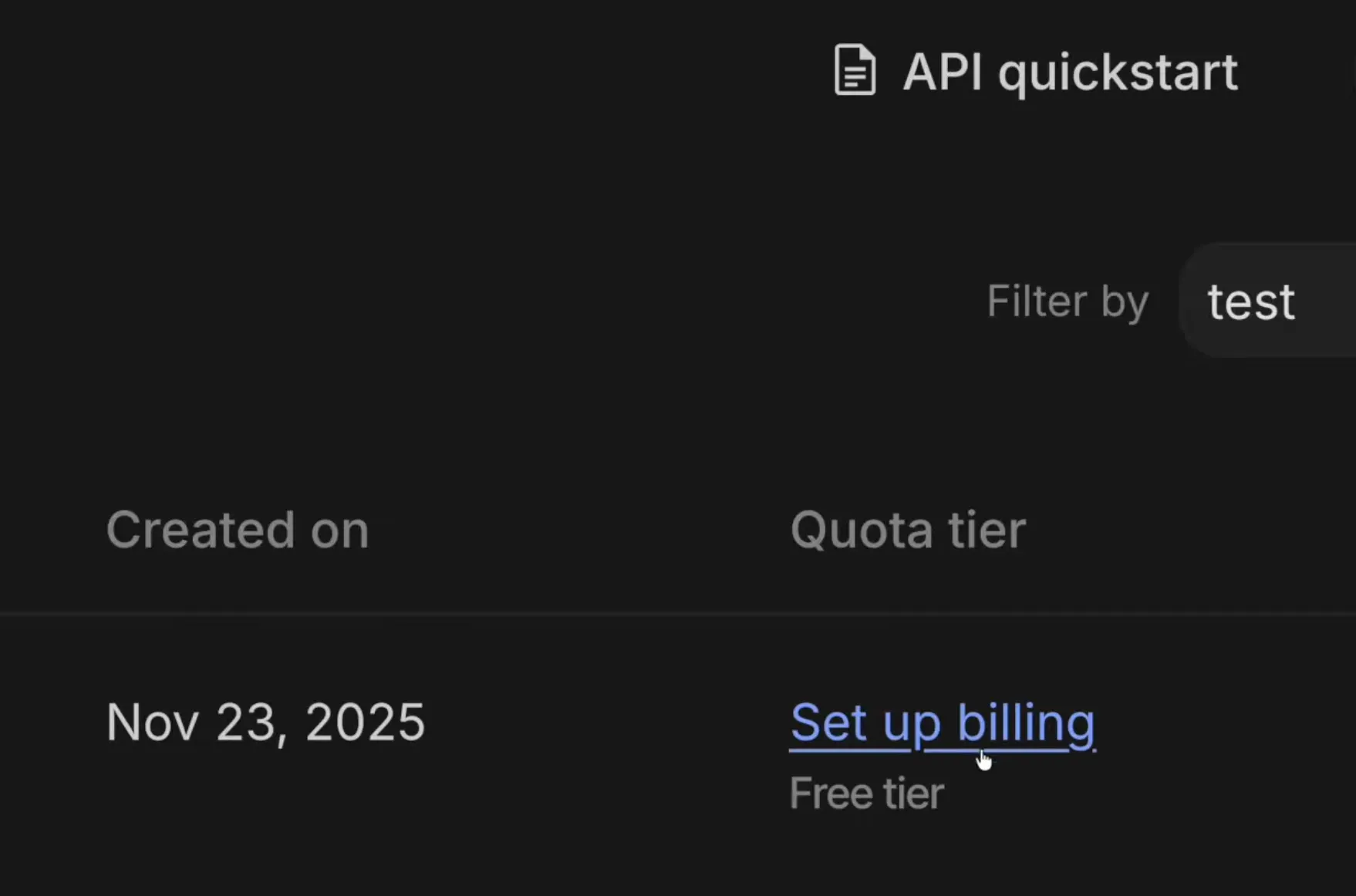
On the project management screen, you will see a "Set up billing" link as shown below; click it to begin.
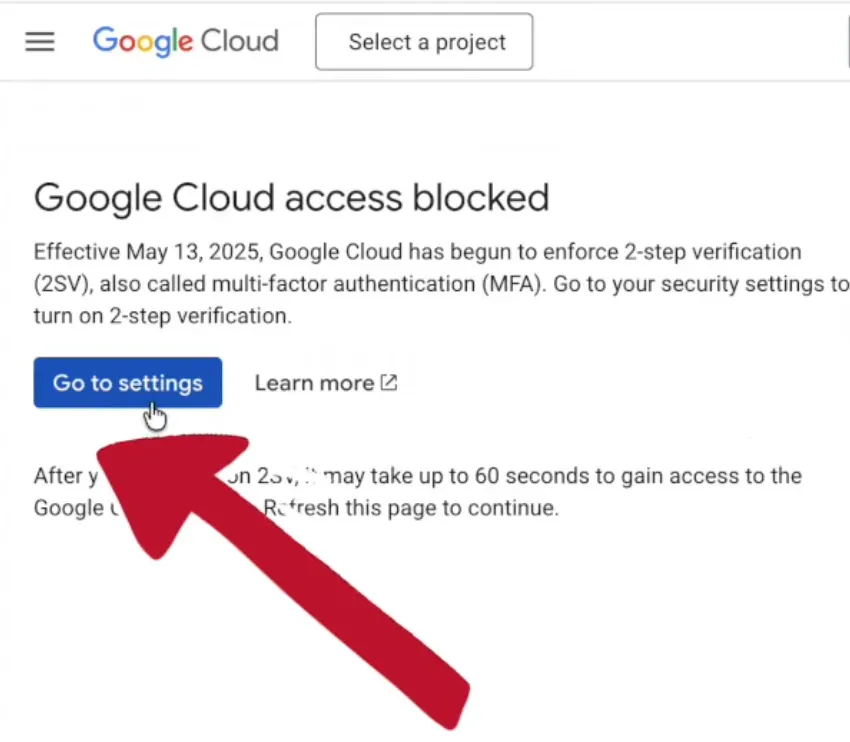
The Google Cloud screen will appear. If your account doesn't have 2-Step Verification enabled yet, click the "Go to settings" button to turn it on.
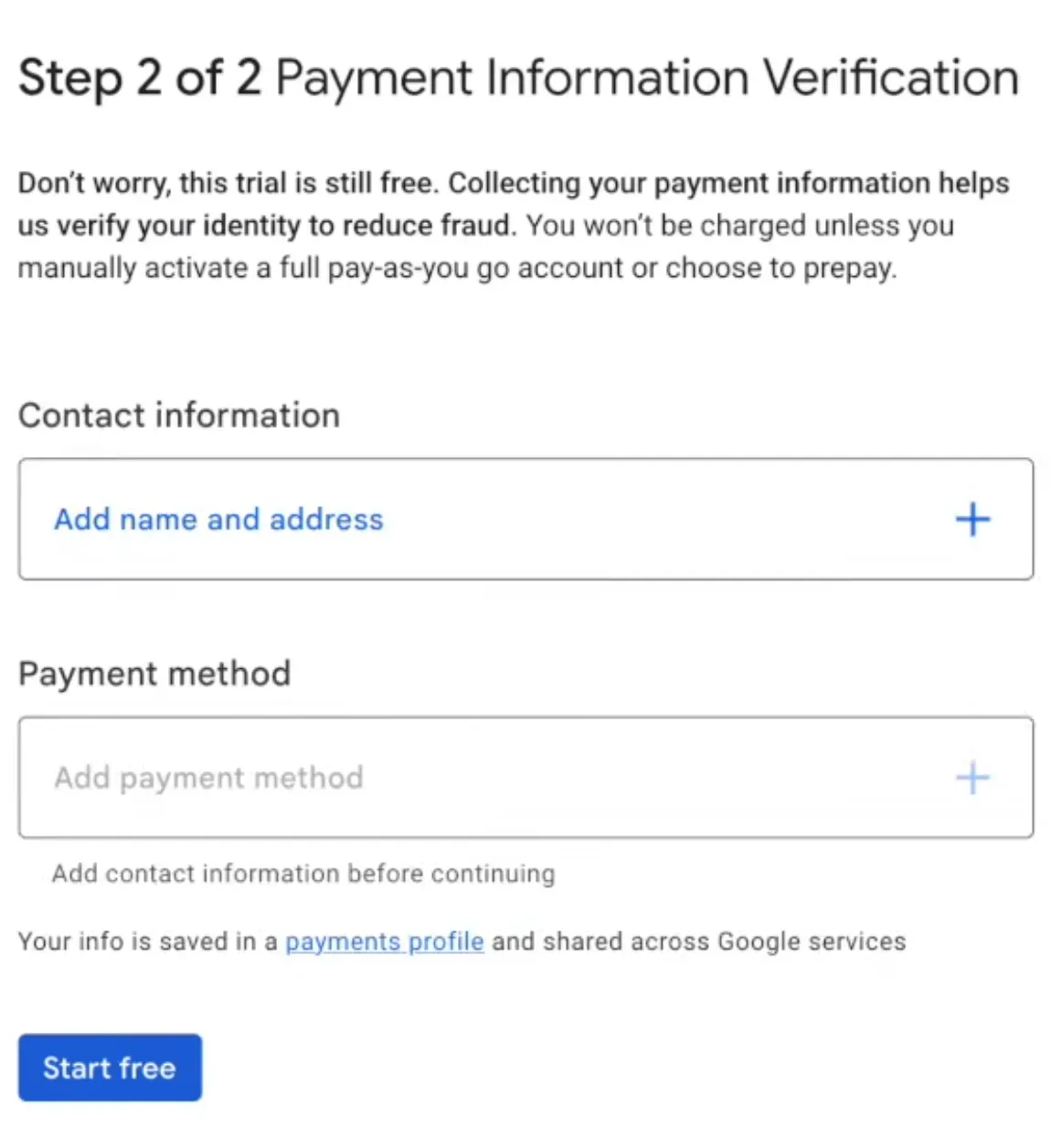
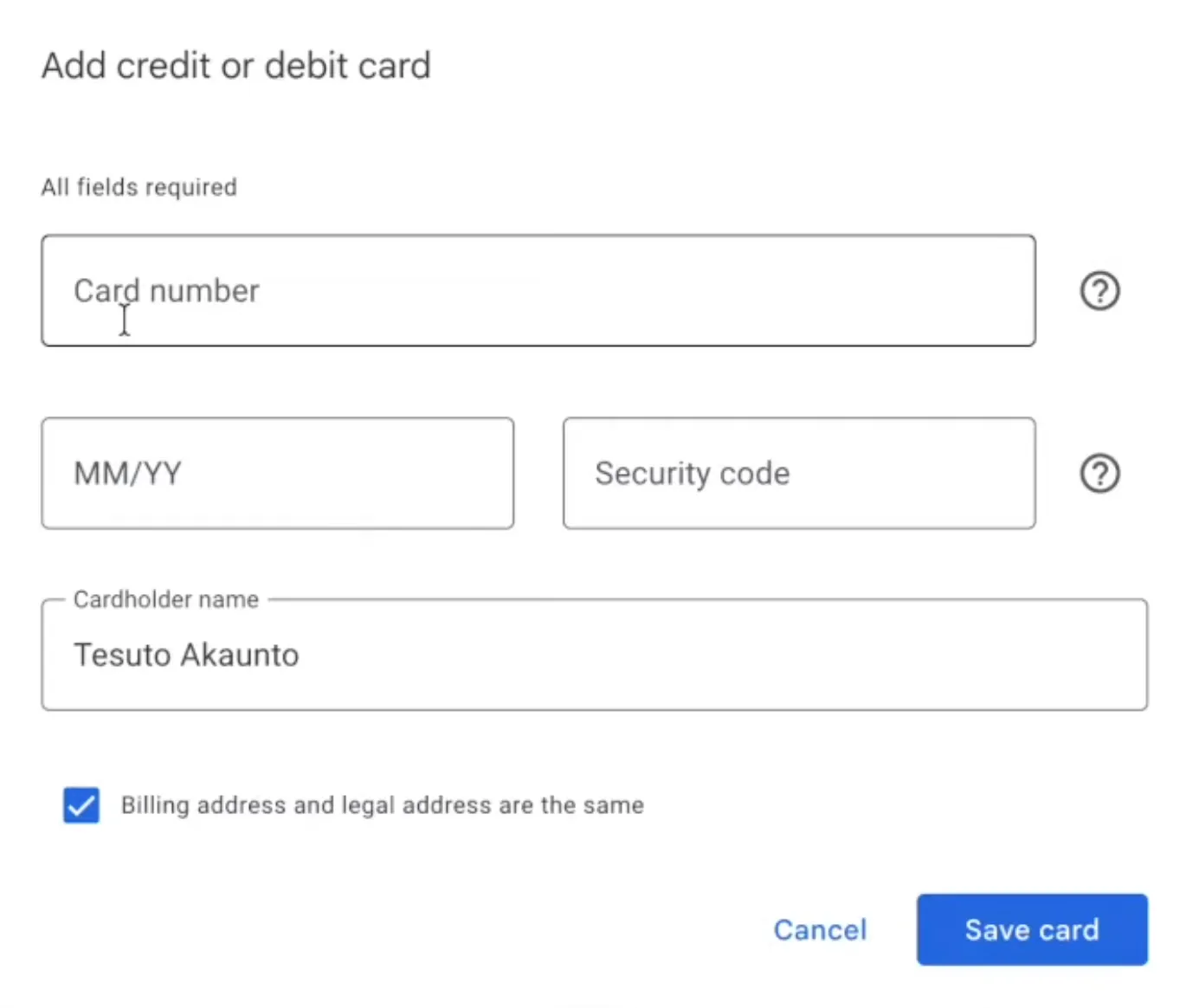
After enabling 2-Step Verification and returning to the Google Cloud page via the "Set up billing" link, proceed to enter your address and payment card information. Rest assured, you won't be charged.
Note: The conditions to successfully receive the $300 credit are:
Google account has never received credit before
VISA/Mastercard supports international payments and has never been used to claim Google credit
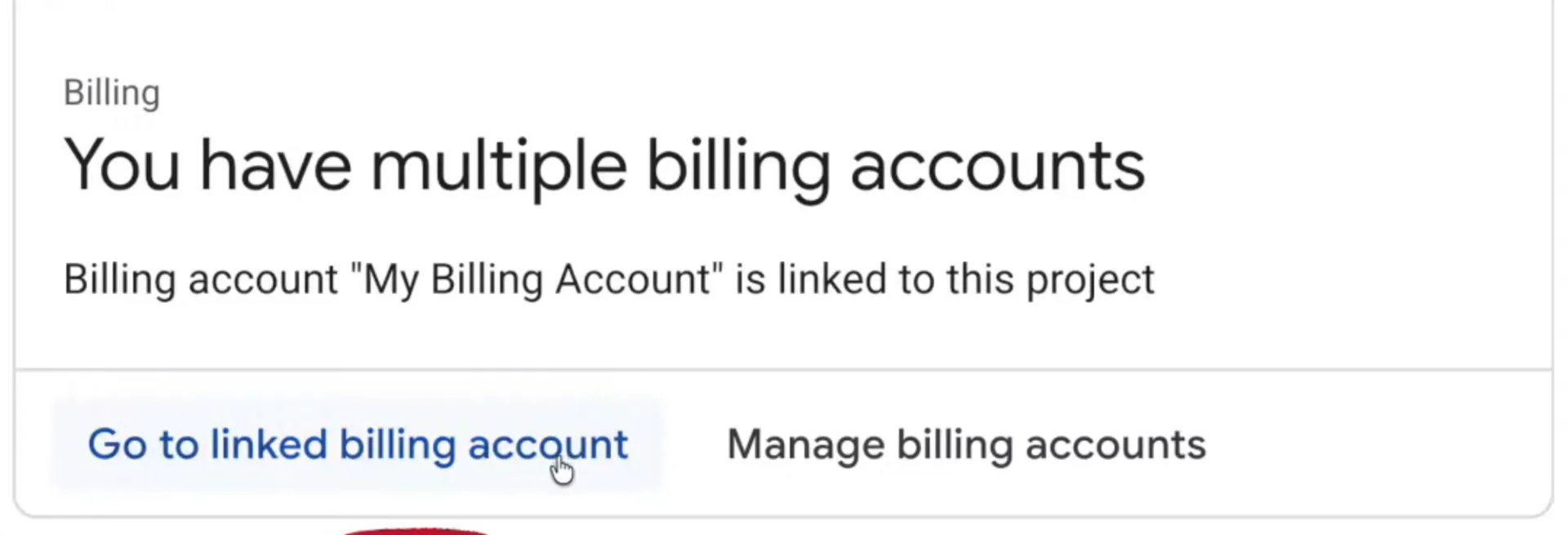
After entering the information, select "Go to linked billing account".
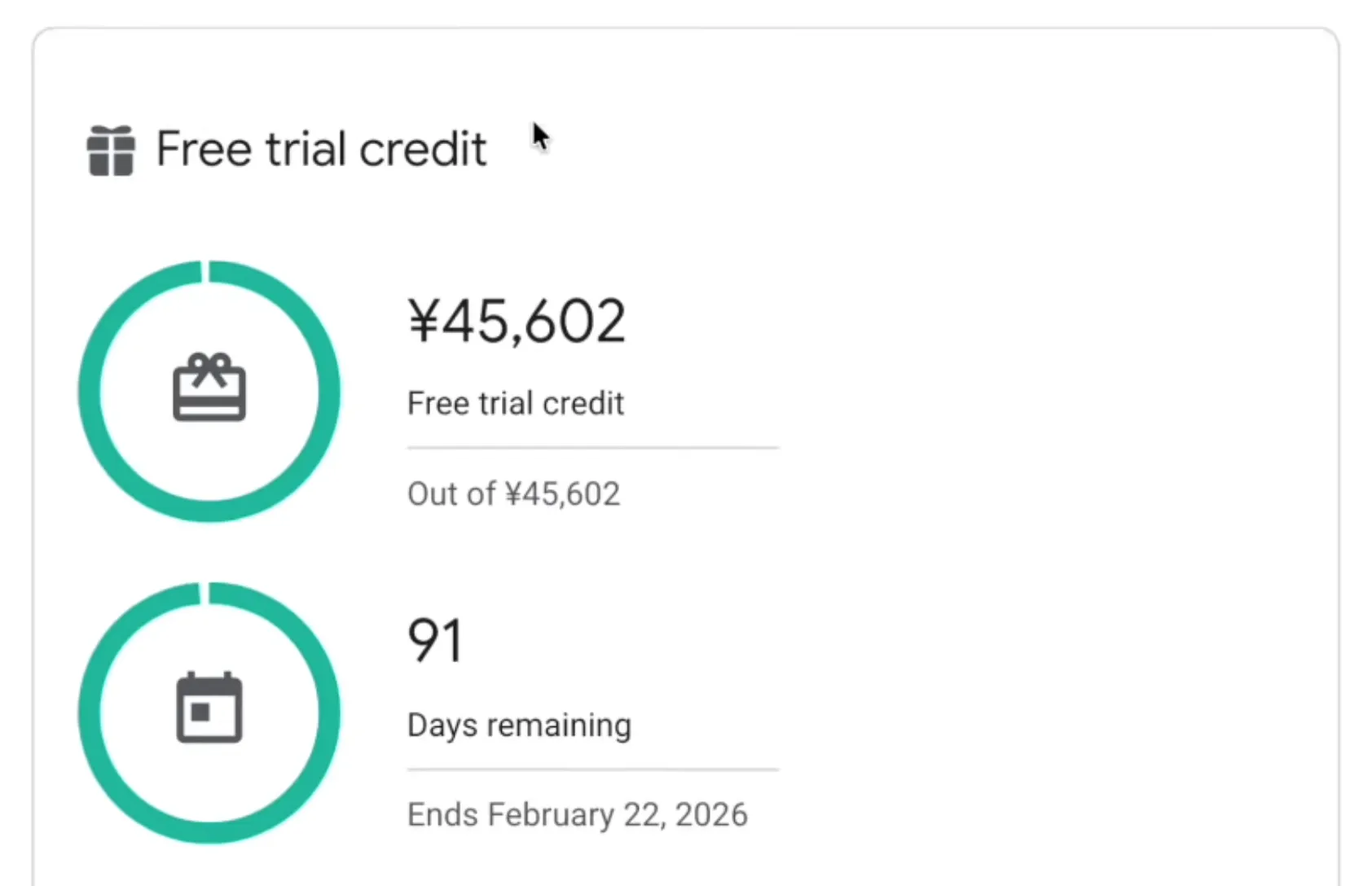
If successful, the screen will display $300 USD as shown below.
Step 5: Activate free account
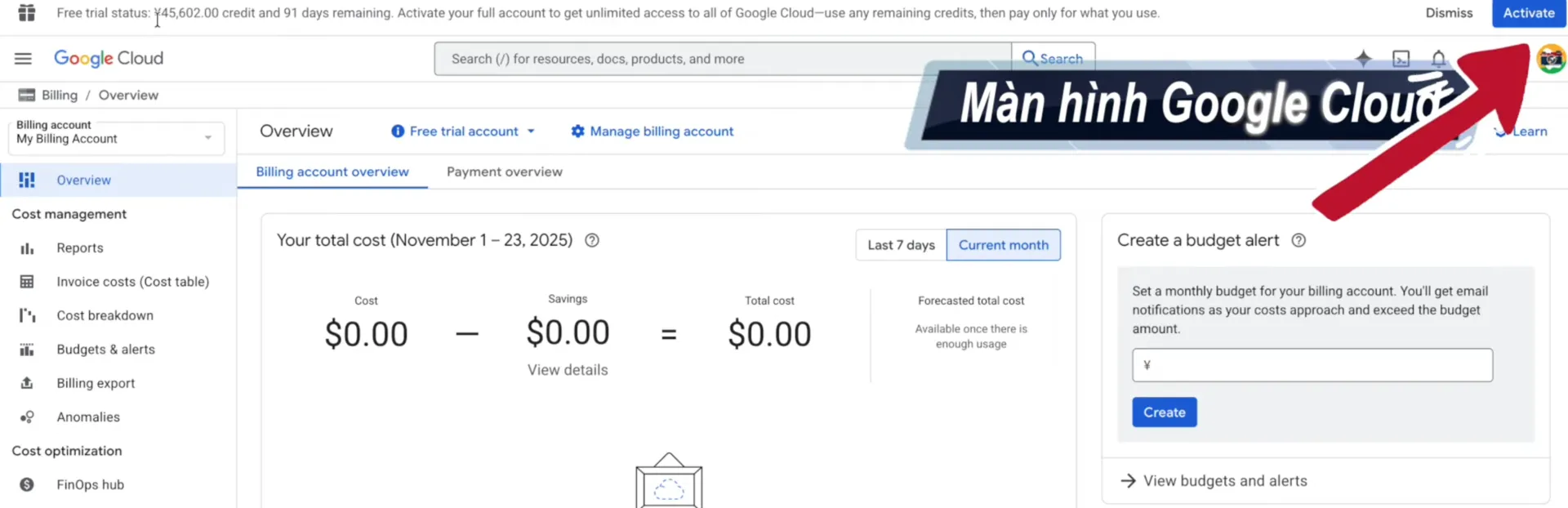
Finally, click the "Activate" button in the top right corner of the screen to activate your free account.
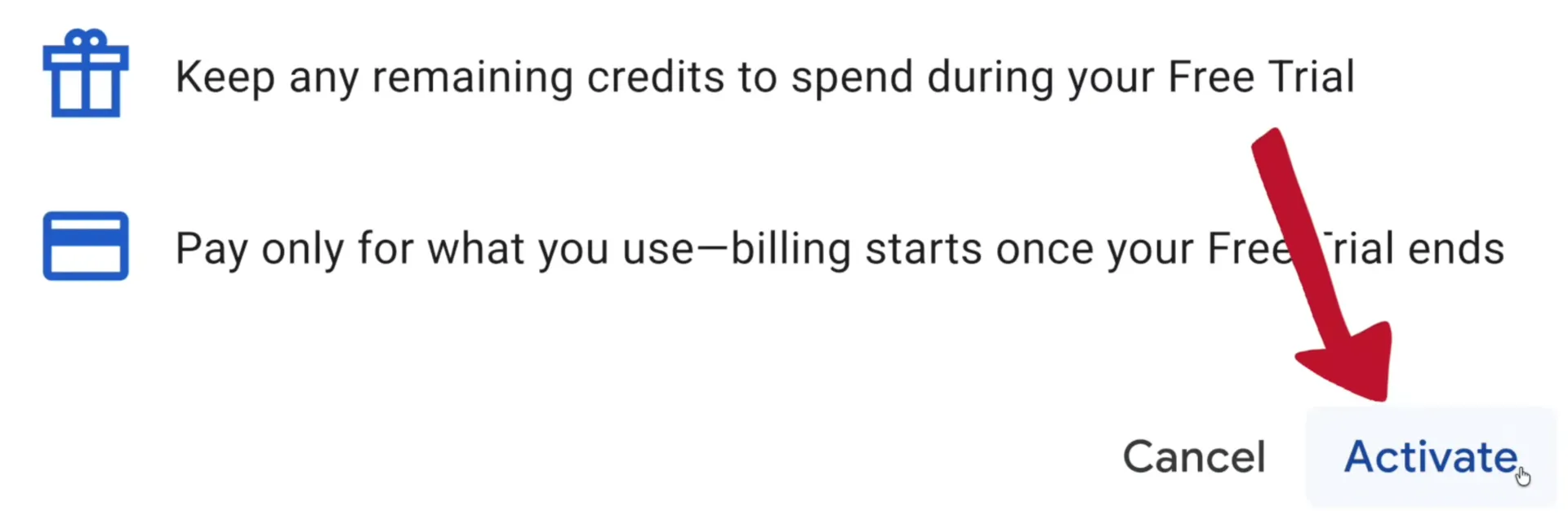
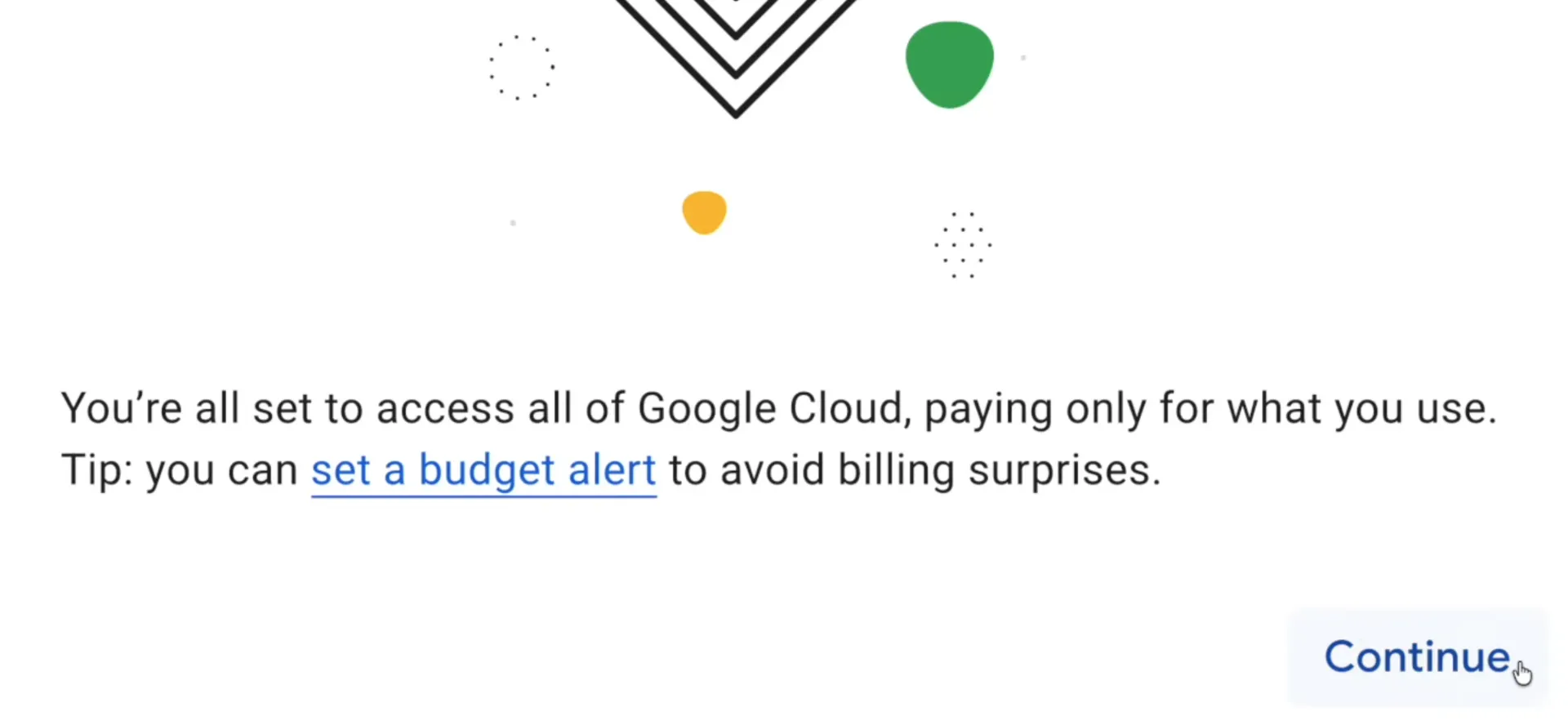
Then select "Activate", and "Continue" to finish.
How to check remaining free credits
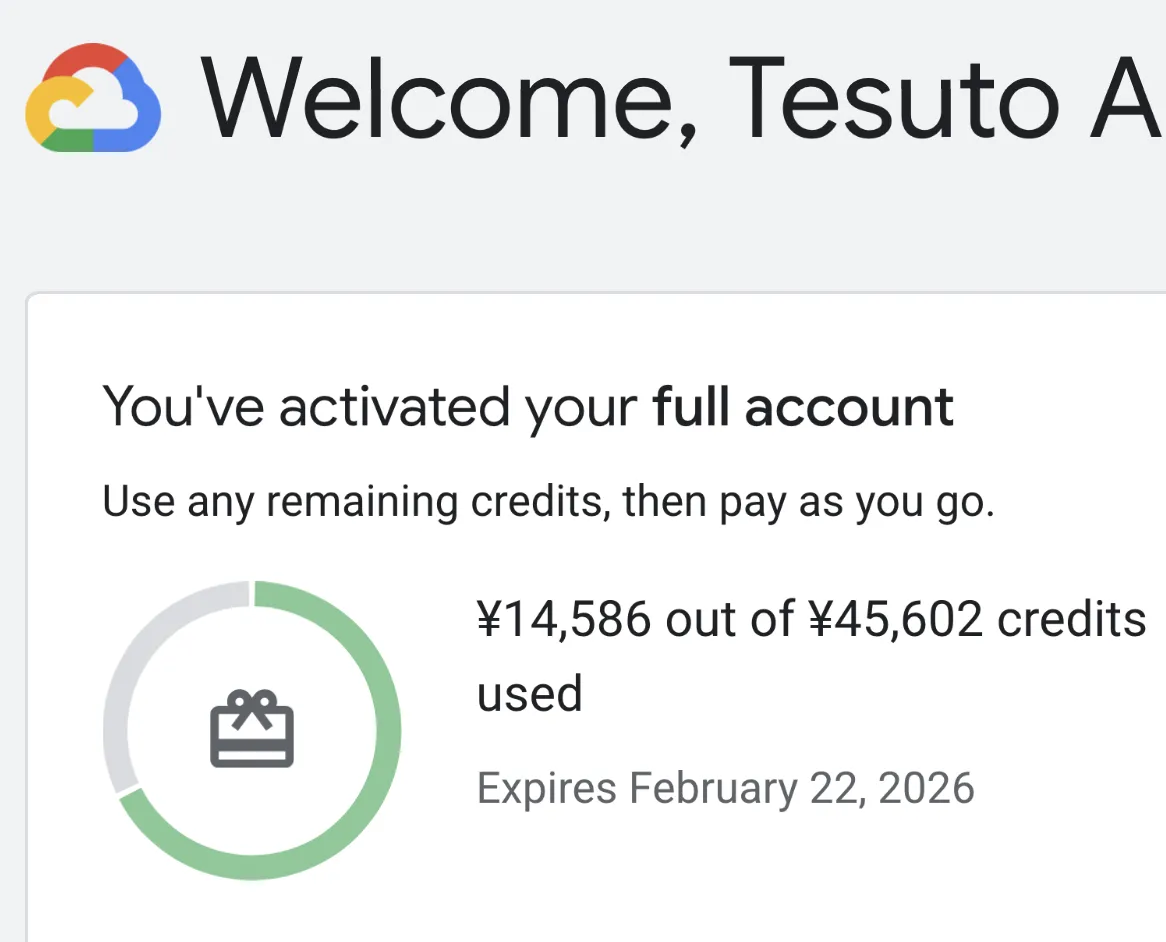
The fastest way to check how much free credit you have left is to visit this link:
The remaining credit amount and expiration date will be clearly displayed.
How to use the API key to generate images with Nano Banana Pro
Once you have funds in your account, return to the AI Studio homepage:
Reselect the model you want to use (Nano Banana Pro).
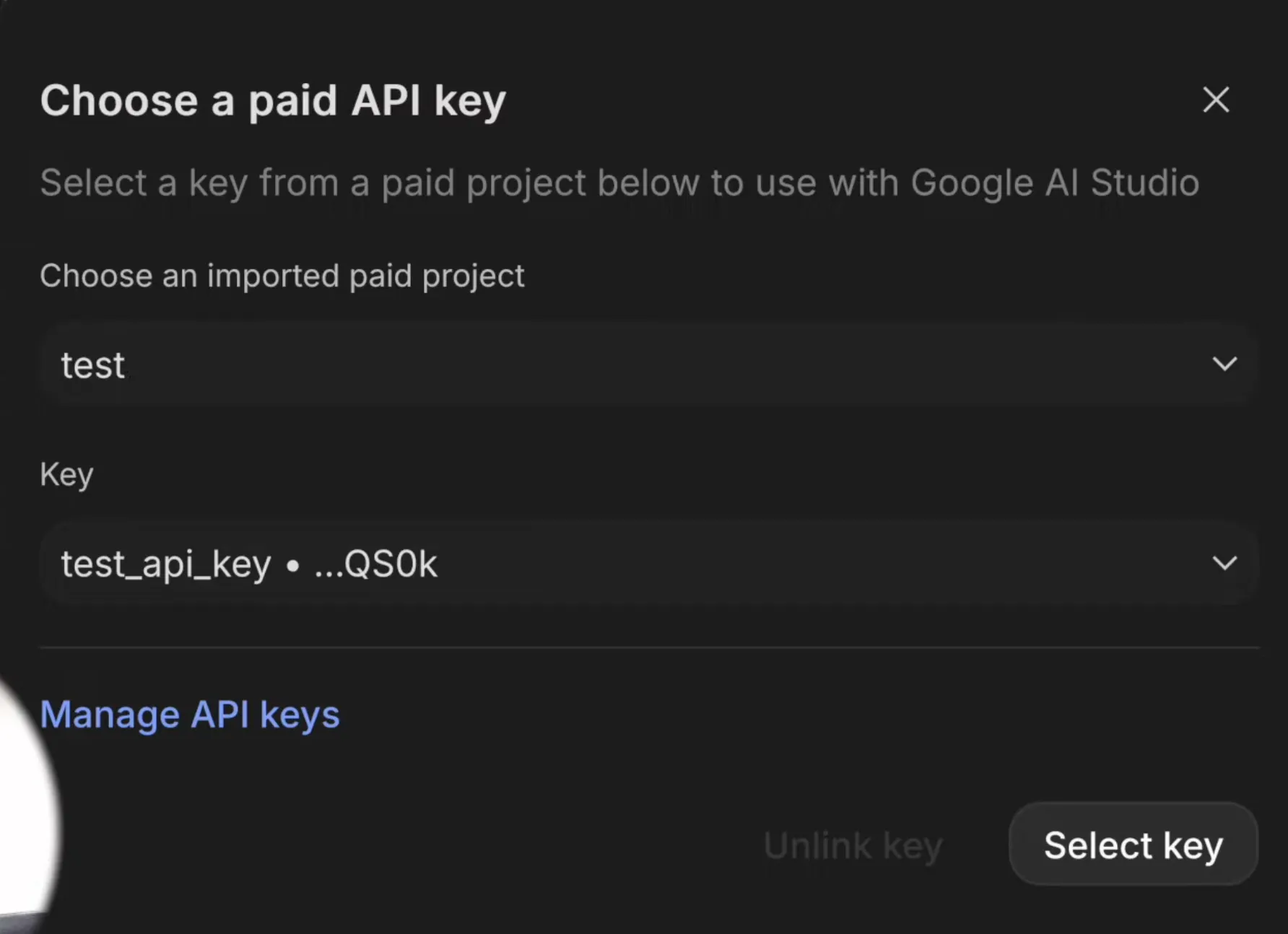
Click the key icon or Link API Key.
Select the project and API key you created earlier and click Select Key.
Now you can type prompts (commands) to generate images freely. For example: "A cat standing washing dishes like a human" and enjoy the results without worrying about usage limits.
Conclusion
Taking advantage of the Google Cloud trial program is a smart way to experience the most advanced AI technologies without cost. Be sure to register soon before the policy changes!
If you find this article helpful, don't forget to share it with your friends. Good luck!
If you want to learn prompts to create professional images using Nano Banana Pro, check out the video below.
I created this blog in 2024, during the rapid development of AI technology. The goal of this blog is to share basic knowledge, computer tips, and guides on using basic AI tools. Thank you for visiting my website. I hope the articles on this website will be useful for you.