









Have you ever wondered: why can a smart AI like ChatGPT or Claude write code, compose poetry, and analyze data... yet it can't read files on your computer, check your emails, or query your company's database on its own?
The reason is simple: the AI model itself is trapped in a box.
It only knows what it has been trained on and cannot connect to the outside world by itself. To make it work with real data and real tools, there must be a bridge.
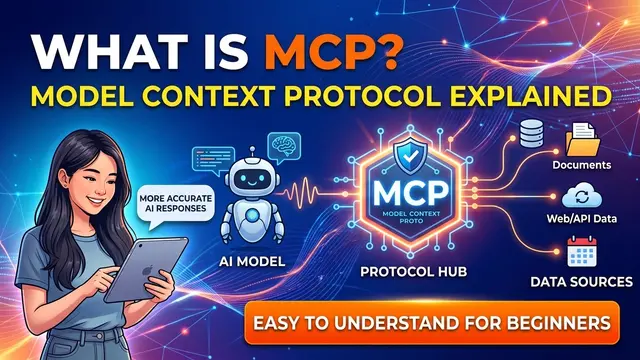
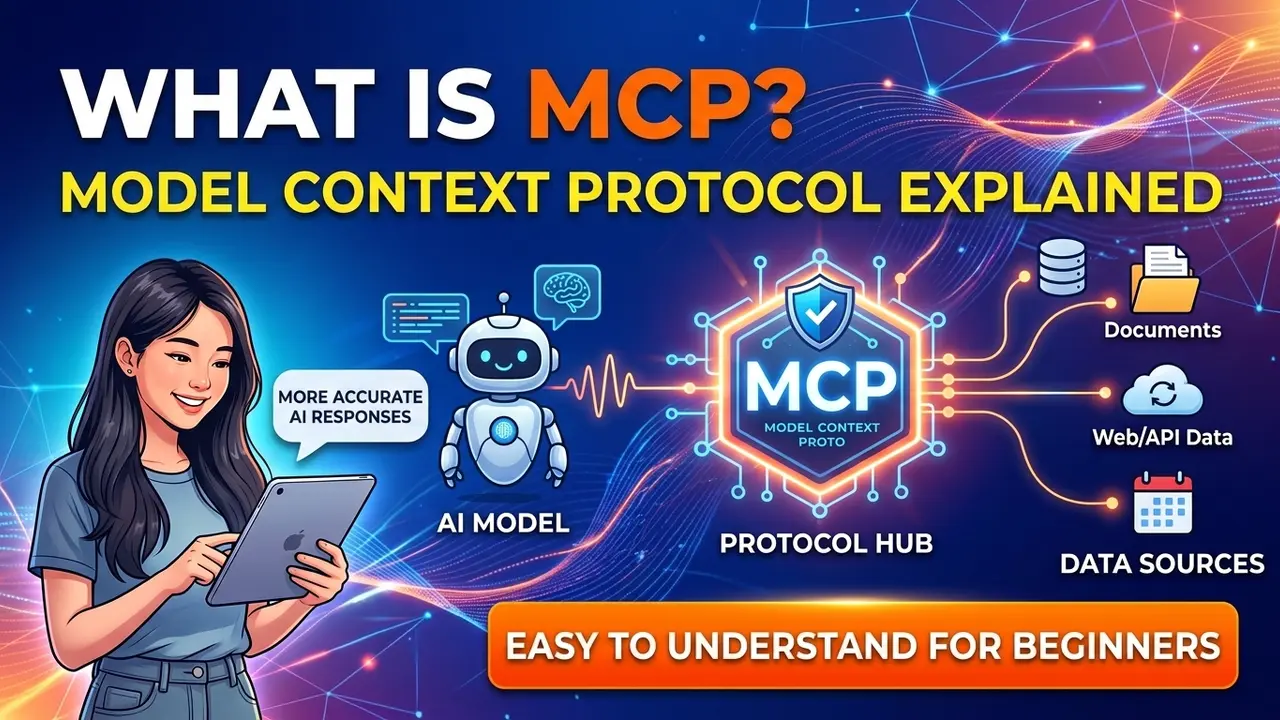
MCP (Model Context Protocol) is that bridge, and it's quickly becoming the universal standard for the entire AI industry. In this post, I'll explain what MCP is in the simplest way possible.
What is MCP? A Simple Definition
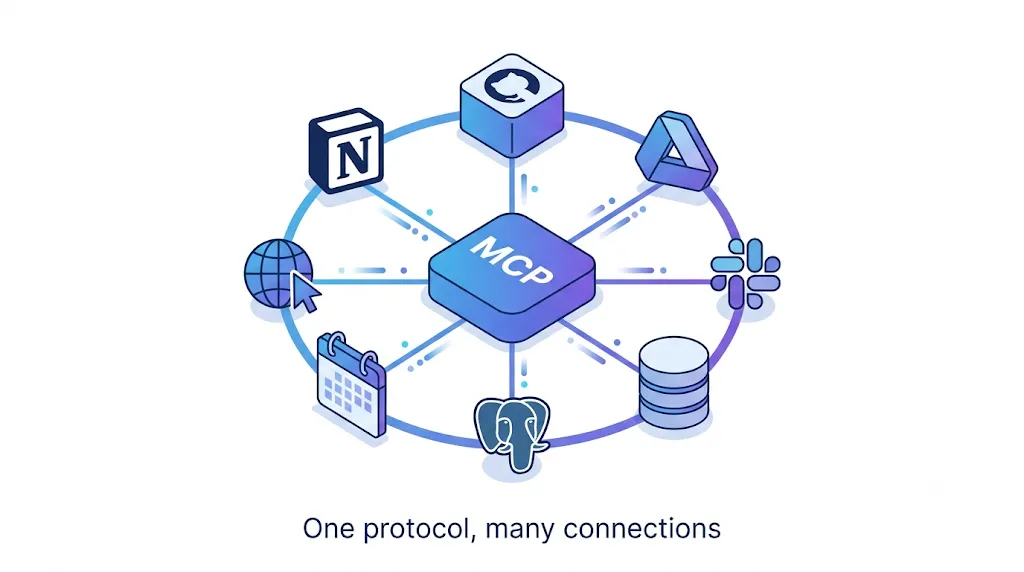
MCP (Model Context Protocol) is an open standard that helps AI applications connect to external data and tools in a unified way. It was introduced by Anthropic (the company behind Claude AI) in late 2024.
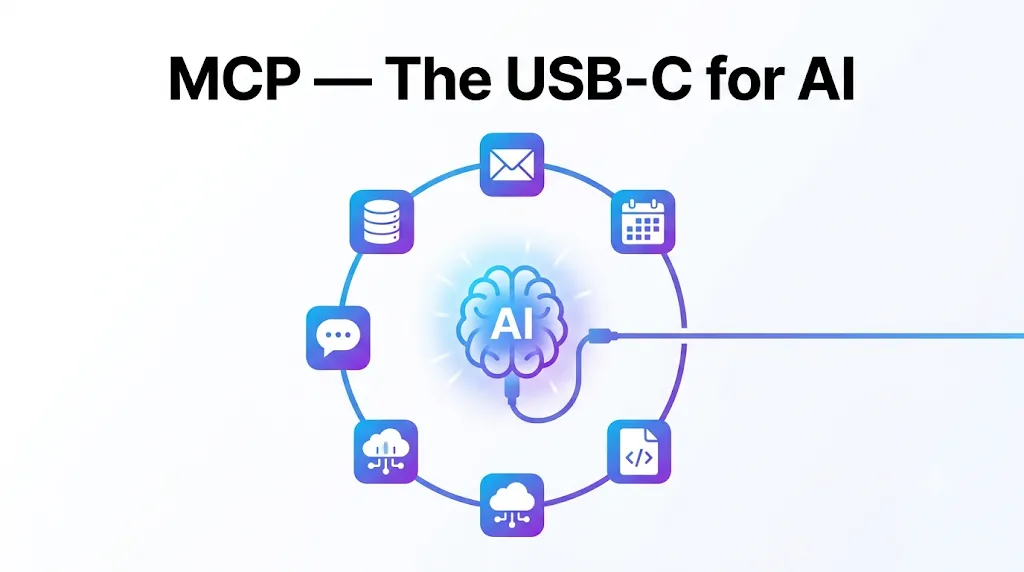
The best analogy, and the one Anthropic uses themselves, is: MCP is like USB-C for AI.
In the past, every device had a different type of charging cable, leading to a drawer full of tangled wires. Then USB-C arrived: a single port that works for everything—charging, data transfer, and video output. Neat, tidy, and universal.
MCP does exactly that for AI. Instead of every AI needing a custom wire
to connect to each specific tool, they all now speak one common language: MCP. Build an MCP connection once, and any AI that understands MCP can use it.
In short: MCP is the universal language that allows AI to plug into
files, databases, emails, search engines, GitHub, Slack, and more in a standardized way.
Why do we need MCP? The MxN Problem
To understand what MCP solves, let's look at the situation before it existed.
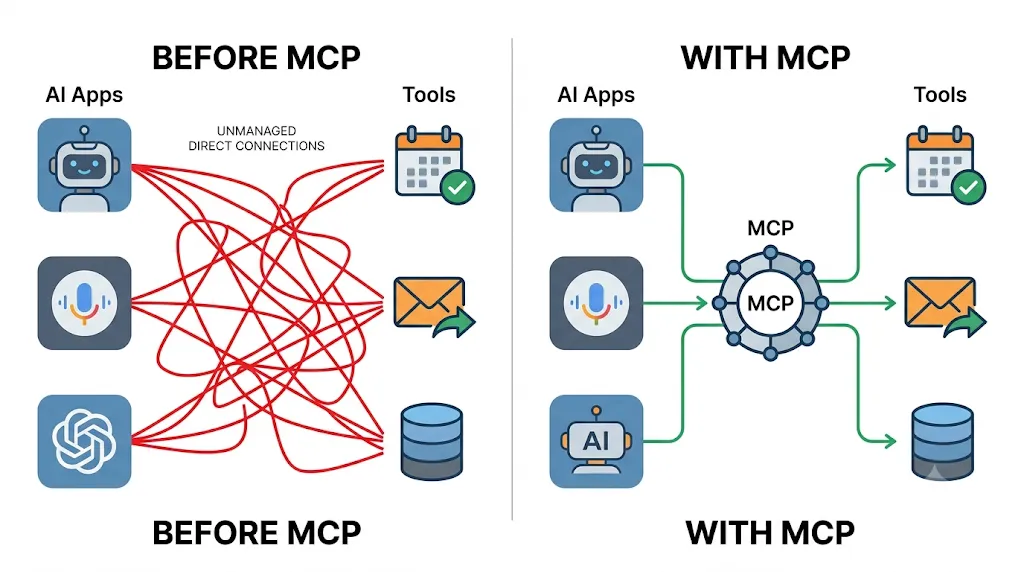
Suppose you have multiple AI applications (Claude, ChatGPT, Cursor...) and multiple tools that need connecting (databases, GitHub, Google Drive, Slack...). Previously, to get AI A
to talk to tool B,
developers had to write a unique integration for that specific pair.
This is called the MxN problem
:
- You have M AI applications
- You have N tools
- ➡️ You have to write M × N individual connection segments
For example: 10 AI apps × 100 tools = 1,000 different integrations, each with its own authentication method and error handling. It was labor-intensive, fragile, and a nightmare to maintain. A total mess.
MCP turns the MxN problem into M+N. Every AI application only needs to know how to connect via MCP. Every tool only needs to provide a single MCP server.
That's it—each side does its work once, and then they can all interoperate.
How does MCP work?
The mechanism of MCP is actually quite straightforward, consisting of 4 main components:
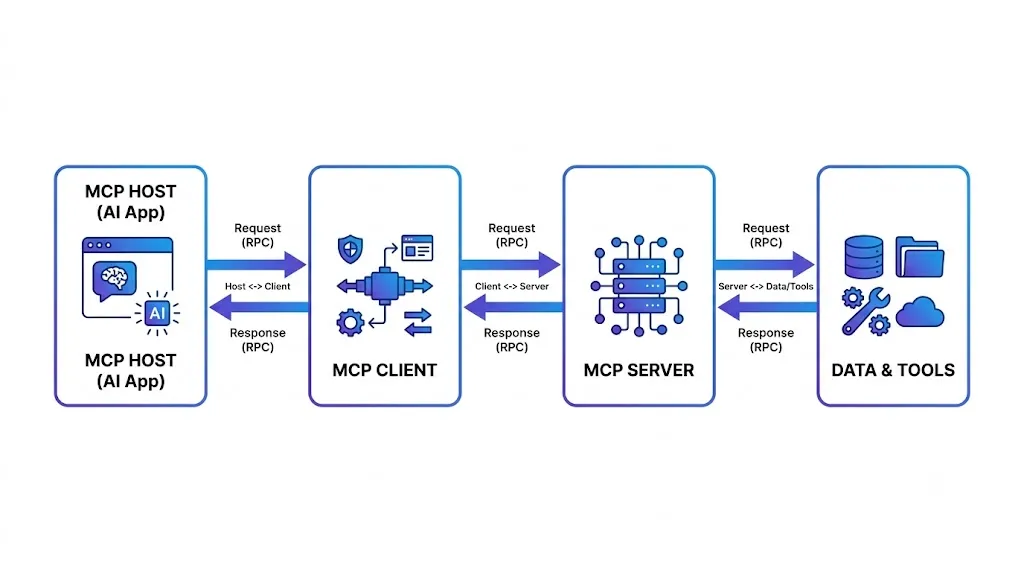
1. MCP Host - The AI application you use
This is the program you interact with directly: for example, the Claude Desktop app, a code editor like Cursor or VS Code, or a company's internal AI assistant. The Host is the brain,
where the AI model thinks and makes decisions.
2. MCP Client - The internal translator within the Host
Located inside the Host, the Client is responsible for connecting to the server and translating
back and forth. Each Client maintains a separate connection to a server. You don't need to worry much about this part as it runs in the background.
3. MCP Server - The gateway to the outside world
This is the most exciting part. An MCP Server is a small, lightweight program specialized in opening up a specific capability for the AI. For example:
- A GitHub server that allows the AI to read and write code
- A Slack server that allows the AI to send messages
- A database server that allows the AI to run queries
The cool thing is: the AI doesn't need to understand how the GitHub or Slack APIs work. It only needs to understand MCP. The translation
from MCP to the actual API is handled by the server. This is the key to why MCP is so clean.
4. Data & Tools - Real data and tools
This is the final destination: files on your computer, company databases, or online services (Google Drive, Notion, Stripe...). The Server acts as the intermediary connecting the AI to these sources.
The entire communication process between components uses a technical standard called JSON-RPC 2.0, but don't worry, you don't need to remember that name to use MCP.
What does an MCP Server provide?
An MCP server can provide three main types of offerings
to the AI. These are important to remember:
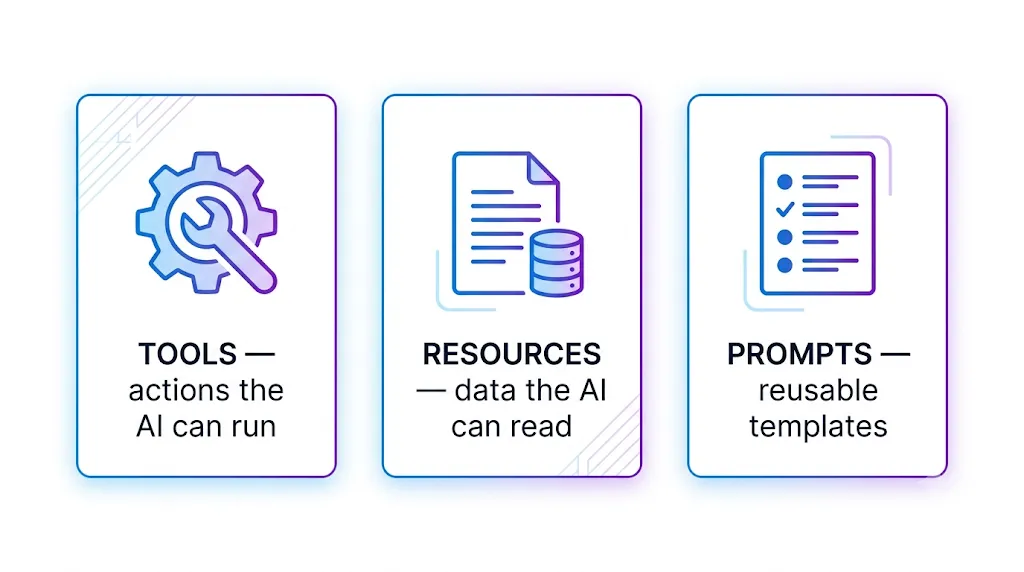
1. Tools: Actions the AI can perform. For example: sending an email, creating a GitHub issue, running a database query, or searching the web. This is what allows the AI to do things, not just talk.
2. Resources: Data the AI can read for context. For example: the contents of a file, a database record, or a documentation page.
3. Prompts: Pre-built command templates provided by the server, helping users give the AI faster and more accurate instructions for a specific task.
By combining all three, MCP helps the AI both read information (Resources), take action (Tools), and follow standard procedures (Prompts).
A Simple Real-World Example: MCP as a Restaurant
If USB-C still feels a bit abstract, imagine it like a restaurant:
- You (the customer) = the AI application (Host). You want to eat but you don't go into the kitchen yourself.
- The waiter = the MCP Server. They bring you the menu and take your order.
- The menu = the list of Tools and Resources the server provides. The AI looks at this to know
what I can do.
- The kitchen = the actual data and services (database, APIs...).
- MCP = the common language you use to order so the waiter understands.
The beauty is: because every restaurant speaks the same ordering language
(MCP), any customer can order at any restaurant without having to relearn the process every time they change spots. That is the power of a universal standard.
Frequently Asked Questions about MCP (FAQ)
Is MCP free? Yes. MCP is an open standard, free to use, and managed by the Linux Foundation. Anyone can build an MCP client or server without paying royalty fees.
How is MCP different from a regular API? An API is how two pieces of software talk to each other, but every API is different, so the AI has to learn each one individually. MCP is a universal standard sitting on top that allows AI to connect to all tools in the same way. MCP doesn't replace APIs; an MCP server usually
translates
from MCP to the actual API in the background.Do I need to know how to code to use MCP? To use AI assistants that already have MCP integrated, no coding is required—you just need to install and configure them. However, to build your own custom MCP server, you will need programming knowledge (SDKs are available for Python, TypeScript, etc.).
Is MCP safe? Since MCP gives AI access to data and the ability to perform actions, security is a major consideration. You should only connect to trusted servers, carefully control permissions, and be aware of risks like supply chain attacks. This is also an area where the MCP community is focused on making improvements.
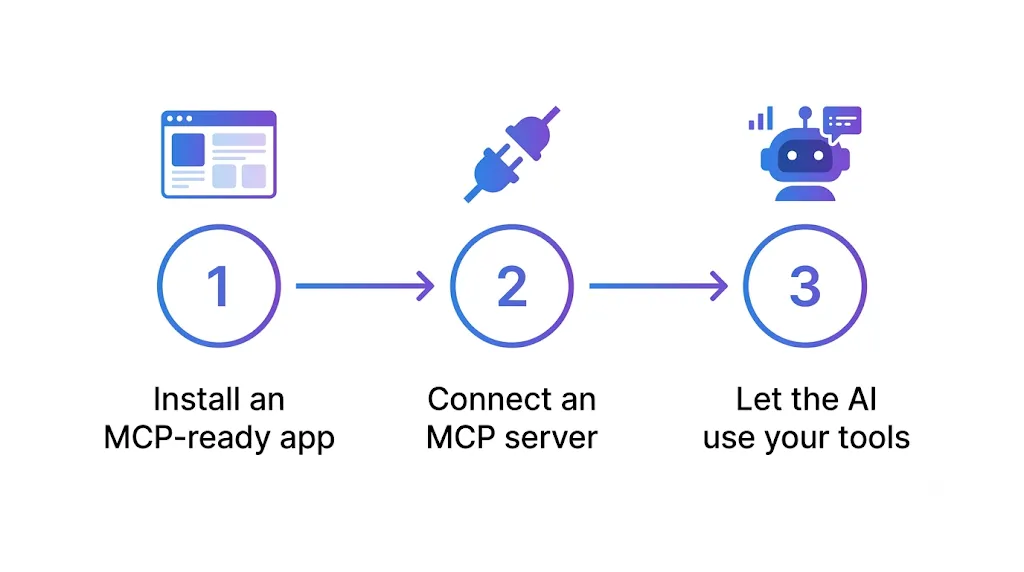
Conclusion
MCP (Model Context Protocol) is the USB-C of AI,
an open standard that helps AI break out of its box and connect with real-world data and tools in a unified way. Instead of every AI needing a separate connection for every tool (a costly MxN problem), MCP turns everything into a neat, universal standard.
In a very short time, MCP has been adopted across the industry and has become the foundation for the wave of AI agents. If you are stepping into the world of AI, understanding MCP today is a very worthwhile move.