Have you ever dreamed of creating your own app but felt intimidated because you don't know how to code? With the rapid advancement of artificial intelligence, that dream has now become a reality! This post will guide you step-by-step on how to turn your ideas into a complete application without writing a single line of code.
AI Studio - Google AI's Ultimate App Creation Tool
The heart of this easy app creation process lies in Google's AI Studio. If you're already familiar with editing photos using other Google AI tools, you'll find that AI Studio also has a very user-friendly interface.
Read more: How to use Nano Banana on AI Studio - The tool for realistic photo editing
Guide to Creating a Simple App on AI Studio
Accessing the App Creation Interface
The process starts very simply:
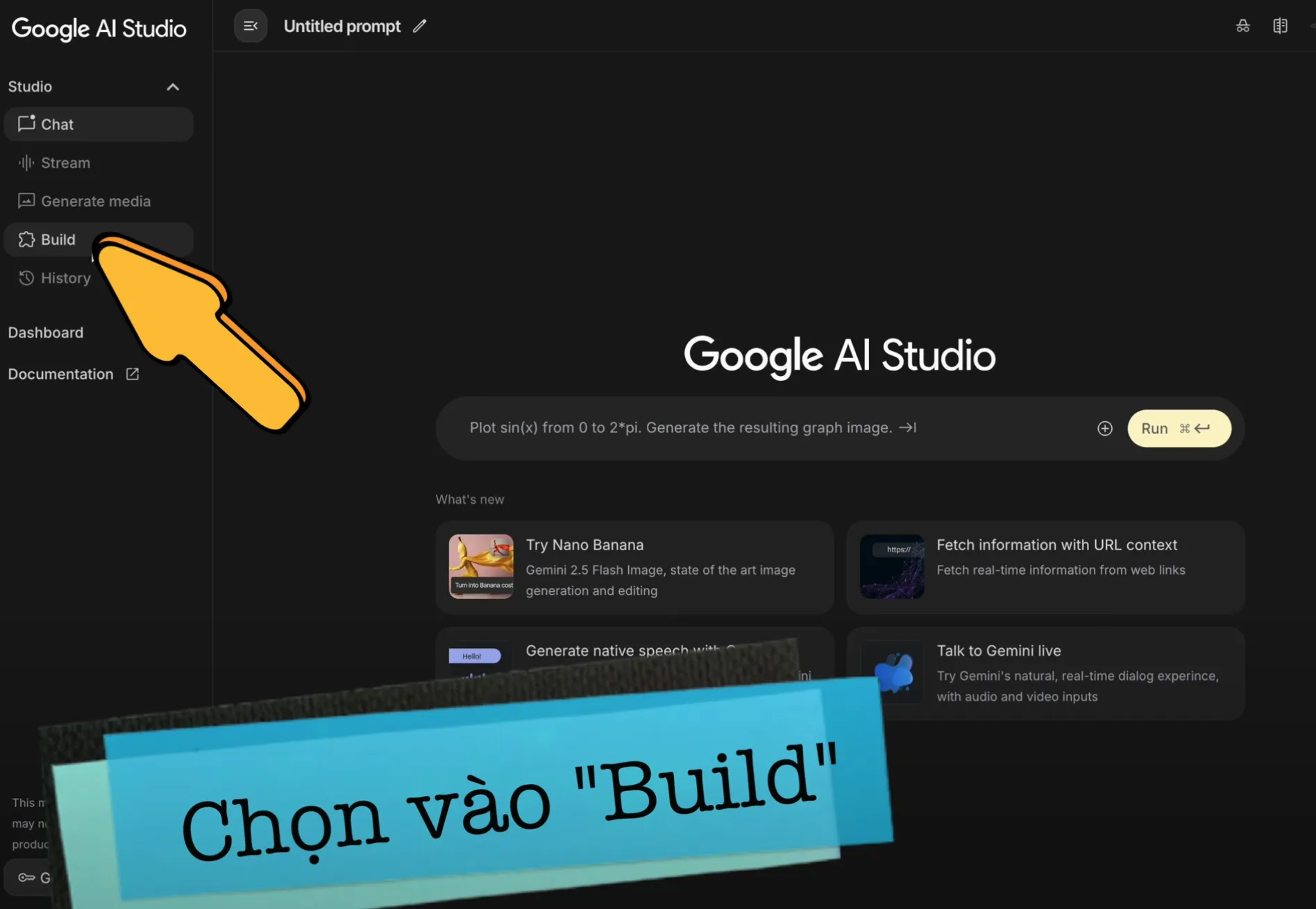
Access AI Studio: Log in to AI Studio at: https://aistudio.google.com, then select "Build" to start creating a new application.
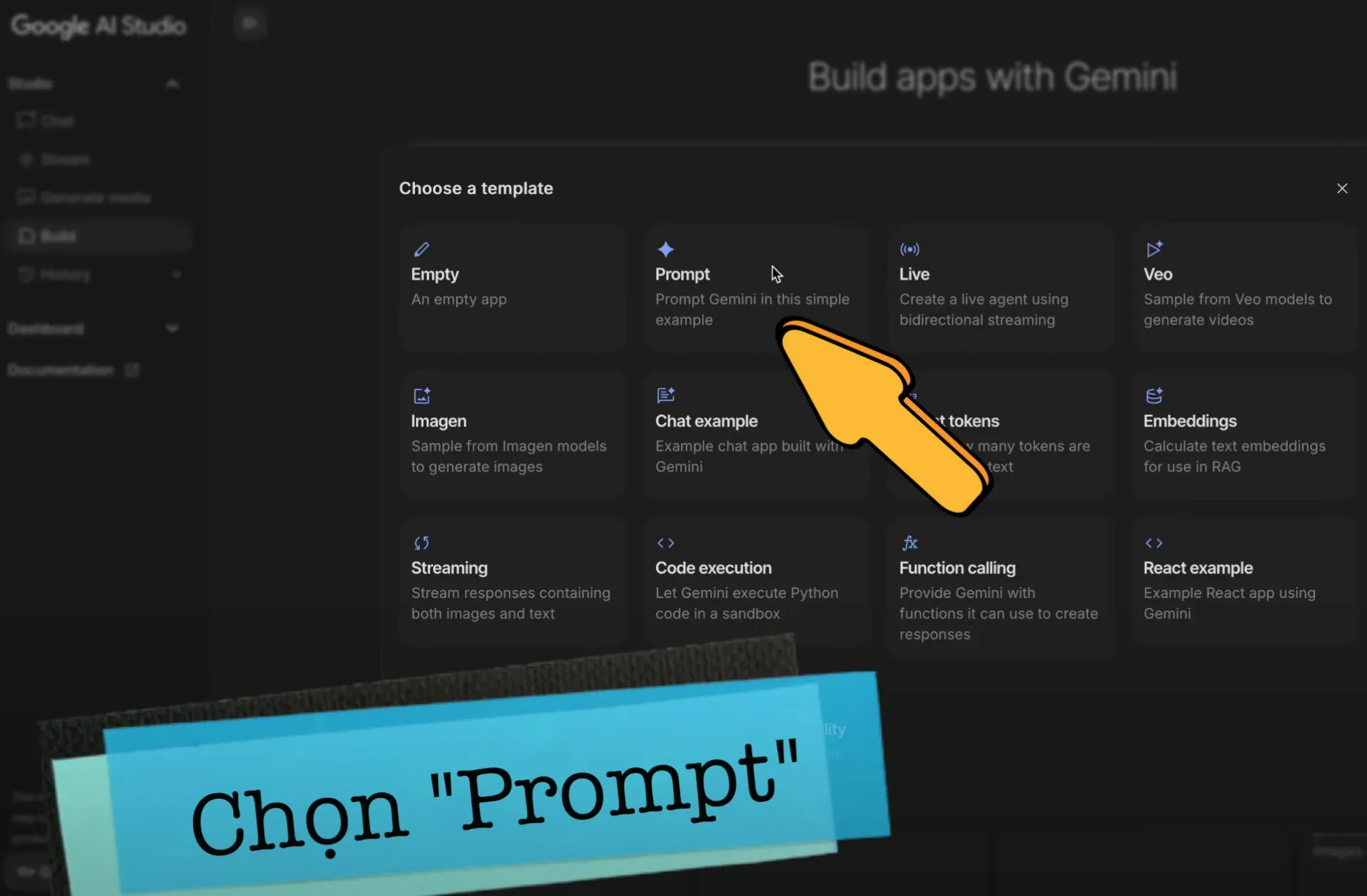
Select "Start from template" and "Prompt": This is where you will enter the command requesting the AI to build the app for you.
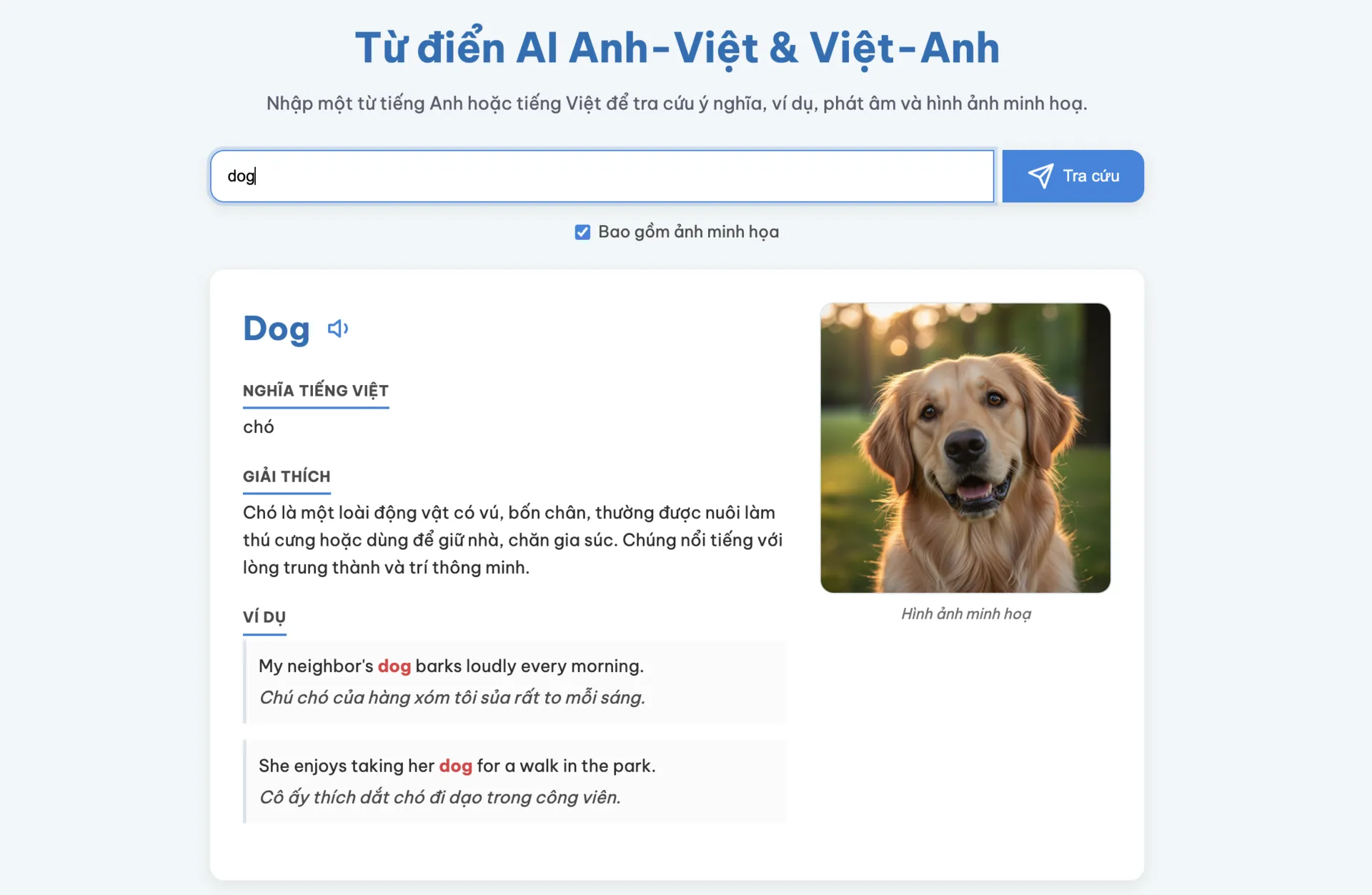
Write your prompt: Describe the app you want to create in detail. For example, you can request: "a simple app where users enter an English word and it displays the Vietnamese translation and explains the meaning".
In just a few dozen seconds to a couple of minutes, AI Studio will "transform" your prompt into a fully functional application!
Refining Your Created App
Once the basic app is created, you can continue to improve it by adding more specific requirements to the prompt and hitting send. It's just like giving instructions to an IT developer.
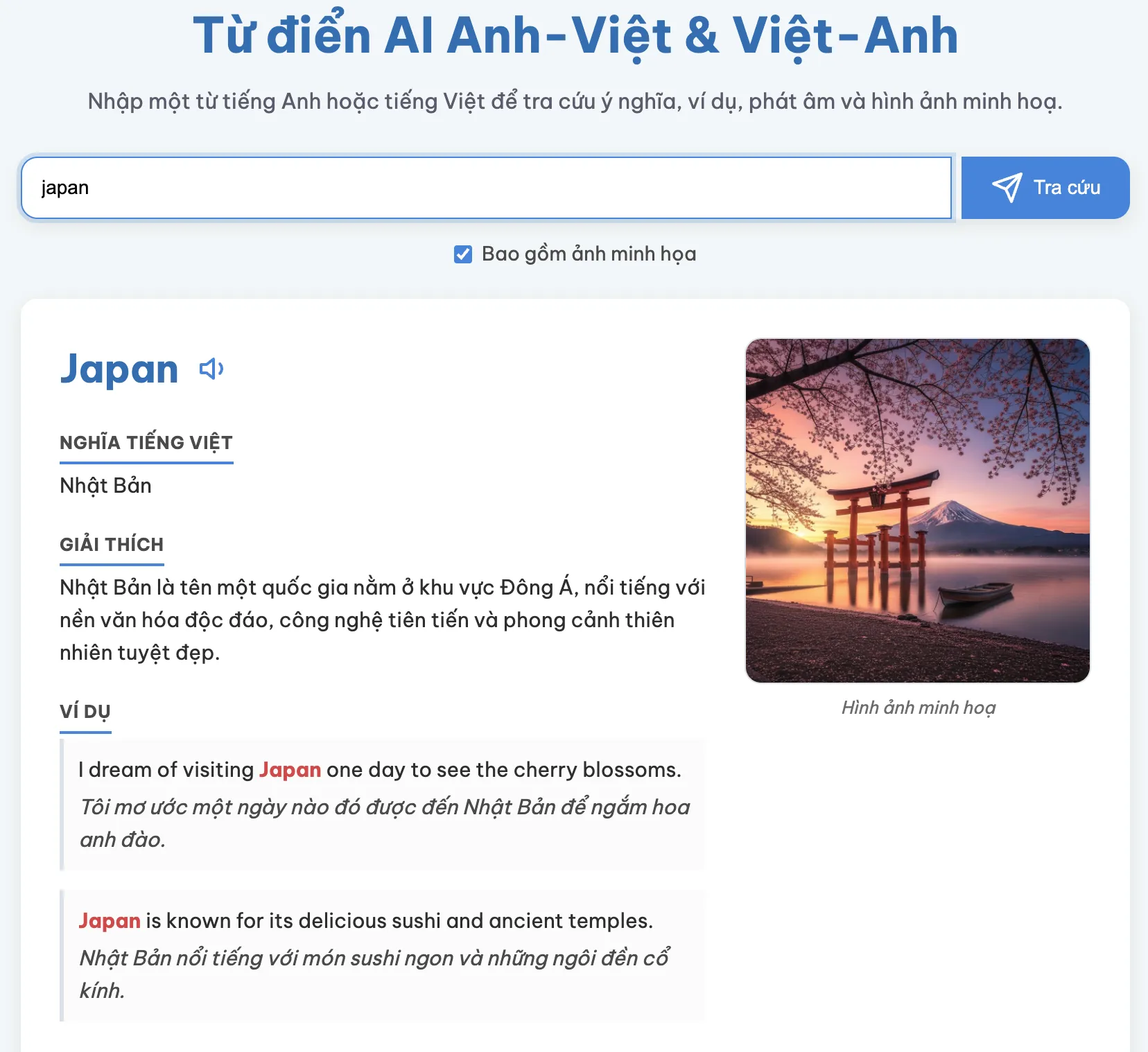
Add examples and translations: Want the app to display two additional example sentences with translations for each word? Just ask the AI to add them.
Visual illustrations: To increase visual appeal, you can ask the AI to add realistic-looking illustrations for each word.
Integrate advanced features: To create a more comprehensive English learning app, you can ask the AI to add features such as:
An image generation option (checkbox)
Pronunciation buttons for the word and example sentences
Highlighting relevant vocabulary in red within the sentences
Displaying images to the side on the desktop interface for easier tracking
Adjust the interface: If the interface isn't quite to your liking, you can absolutely ask the AI to refine it to look more beautiful and professional, just like a real English learning website.
Other Features in the AI Studio App Creation Interface
AI Studio also provides many features to help you manage and share your application:
Preview and Code: Preview the live app or switch to code mode to edit directly if you have programming knowledge.
Full Screen: Expand the app to view it in full-screen mode.
Device: Check the interface on different devices such as mobile phones or tablets.
Save app: Save your application with your desired name and description.
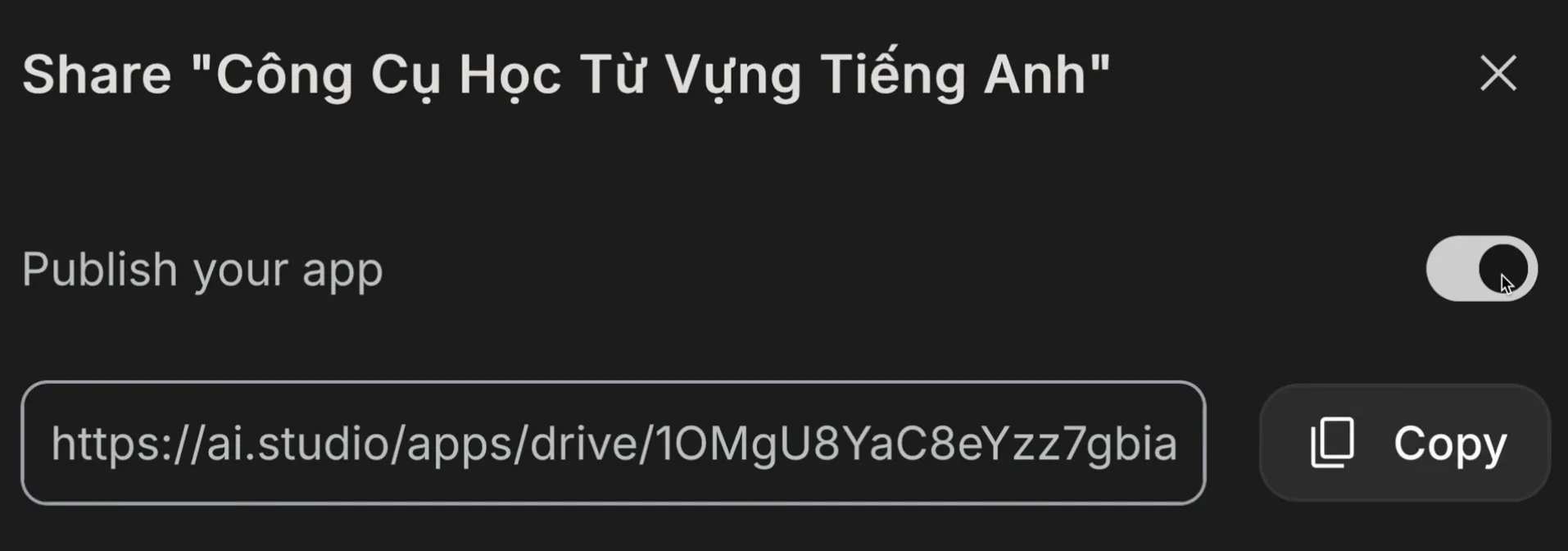
Share app: This is the most important feature so you can share your app with others. Remember to select "Publish your app" and copy the sharing link. Other users only need to sign in with a Google account to use your app.
Copy and Edit Other People's Apps
A unique highlight is that you can copy and edit applications created by others to customize them to your liking without having to start from scratch.
Conclusion
With AI Studio, creating an app has become easier than ever, even for those without any programming knowledge. You can quickly create simple yet useful applications in just a few minutes. While AI currently primarily supports the creation of basic apps, this is a giant leap forward, opening doors for anyone who wants to try their hand at app development.
I created this blog in 2024, during the rapid development of AI technology. The goal of this blog is to share basic knowledge, computer tips, and guides on using basic AI tools. Thank you for visiting my website. I hope the articles on this website will be useful for you.