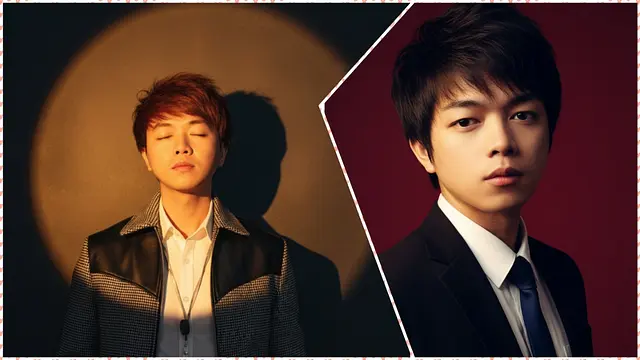
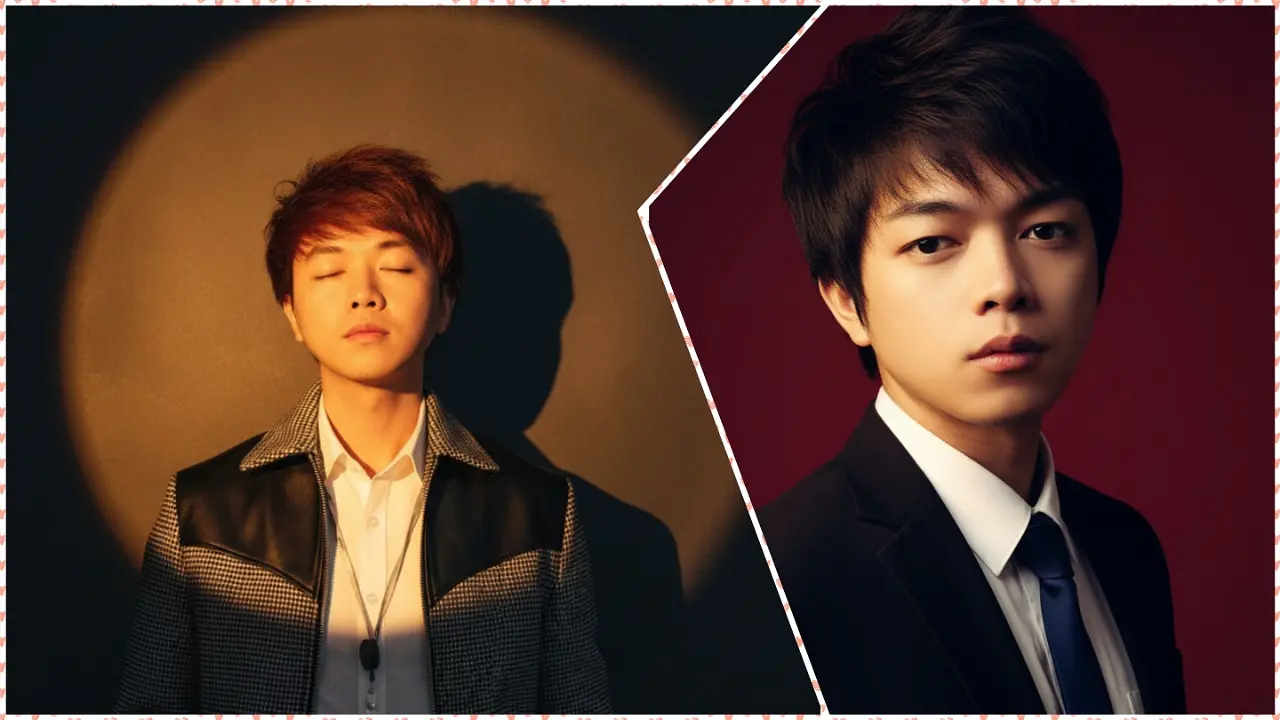
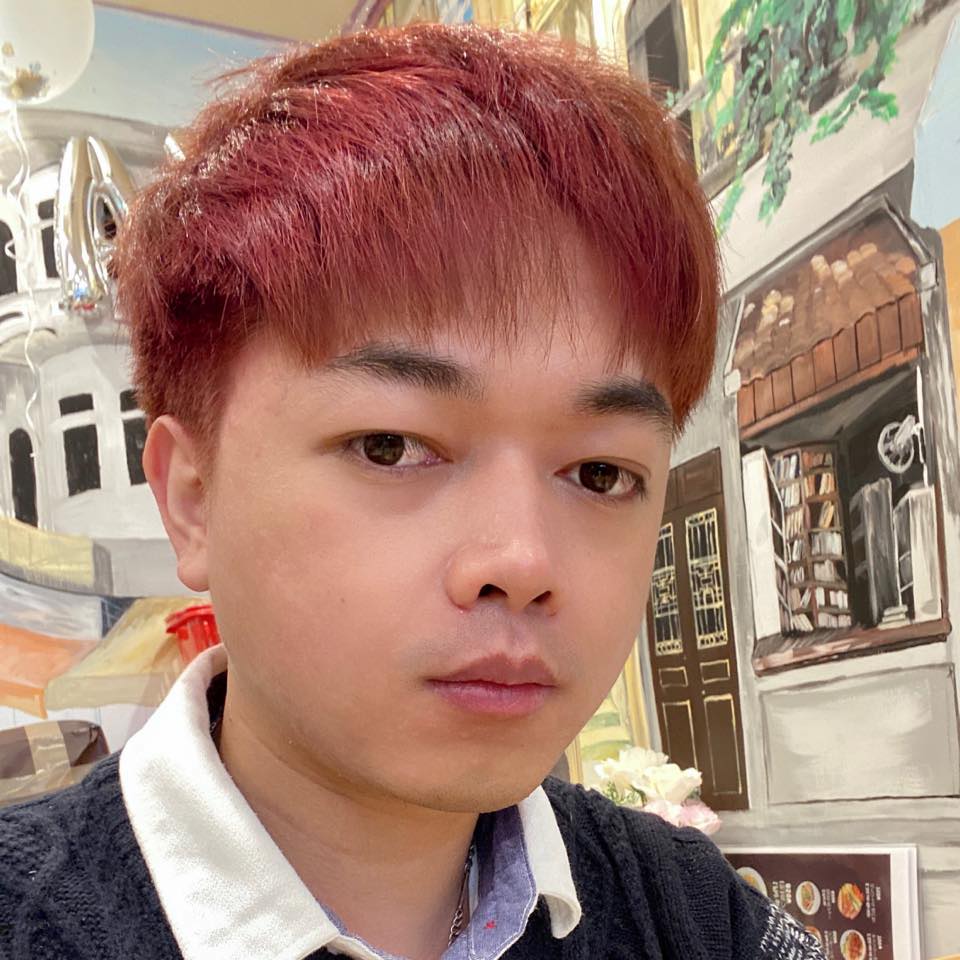
AI로 레드 배경 인물 사진을 만드는 것이 최근 핫한 트렌드로 떠오르고 있습니다. 단 몇 분 만에 고급스럽고 돋보이는 사진을 완성할 수 있죠. 포토샵 실력이 없어도 AI 기술을 활용하면 전문가 수준의 프로필 사진을 만들 수 있습니다. 인상적인 레드 배경 사진을 만드는 방법을 Sforum의 상세 가이드를 통해 확인해 보세요.
레드 배경 인물 사진이란 무엇인가요?
레드 배경 인물 사진은 강렬한 레드 컬러 배경을 사용하여 얼굴을 돋보이게 하고, 권위 있고 매혹적인 분위기를 연출하는 사진 편집 트렌드입니다. 과거에는 전문 사진작가나 복잡한 소프트웨어가 필요했지만, 이제는 AI 자동 배경 제거 기술 덕분에 누구나 쉽고 빠르게 제작할 수 있게 되었습니다.
AI로 레드 배경 인물 사진 만들기
AI를 활용해 레드 배경 사진을 만드는 간단한 방법들을 소개합니다.
프롬프트(Prompt):
Use the face and body from the reference image exactly, keeping the same proportions and hairstyle. Create a vertical 1080x1920 half-body portrait. Background deep crimson red. The subject wears a smart black suit and white shirt, dark blue tie (male only). Cinematic directional lighting, slightly brighter, with golden highlights on one side of the face and deep shadows on the other, emphasizing bone structure and elegance. Shoulders and torso slightly angled just a little, almost facing forward for a natural, refined pose. Head straight or with an extremely subtle lift, looking directly into the camera. Strong, intense gaze, sophisticated and poetic mood, dramatic, cinematic, refined studio portrait style, keeping original hairstyle.
방법 1: Gemini AI 사용하기
Gemini에 대해 처음 들어보셨다면, 이 기초 영상을 시청해 보세요.
☒
Gemini AI 인터페이스에 접속한 후, 원본 사진을 업로드하고 위에서 제공한 프롬프트를 붙여넣으세요.
그런 다음 전송 버튼을 누르고 몇 초만 기다리면 결과 사진이 생성됩니다.
방법 2: Nano Banana 사용하기
'Nano Banana'에 대해 들어보셨나요? 이는 현재 기술 커뮤니티에서 화제가 되고 있는 무료 AI 사진 편집 도구인 Gemini 2.5 Flash Image의 별칭입니다.
전송 버튼을 누르고 잠시 기다리면 결과가 나옵니다. 마지막으로 사진을 복사하거나 다운로드하면 모든 과정이 매우 빠르게 마무리됩니다.
원본 사진
AI 생성 사진
자연스럽고 아름다운 예술 사진을 만드는 팁
고화질 원본 사진 선택: 그림자가 없고 조명이 중립적인 선명한 사진을 사용하세요.
적절한 레드 톤 조절: 사진이 자연스러워 보이도록 너무 자극적인 색상은 피하세요.
세부 사항 확인: 머리카락 끝부분과 얼굴 윤곽이 AI에 의해 매끄럽게 처리되었는지 확인하세요.
필터 사용 자제: 효과를 과하게 사용하지 말고 색상 균형을 유지하세요.
다른 예술적인 사진 스타일들
현재 유행하는 레드 배경 인물 사진 외에도 사진에 후광 효과를 주는 등 다양한 예술적 스타일이 있습니다.
제작 방식은 위에서 설명한 단계와 동일하며 프롬프트만 다르게 입력하면 됩니다.
후광 반사 예술 사진
프롬프트(Prompt):
Use the uploaded photo exactly, keeping the face, hair, and outfit as in the reference. Create a moody, cinematic half-body studio portrait. The subject stands in front of a deep background, bathed in a warm golden-orange spotlight forming a bright, glowing circular halo on the wall behind. Soft, sunset-like light sculpts the face and upper body, casting a pronounced shadow to the right. Pose elegantly, with eyes closed and chin slightly raised. Maintain natural skin tones, fine details, and a 4:3 aspect ratio. Ensure the overall mood is dramatic, artistic, and refined.
결과:
원본 사진
AI 생성 사진
젊고 역동적인 스타일의 사진
프롬프트(Prompt):
Create a waist-up portrait of a single person, using the exact facial features from the uploaded photo. Maintain the original facial expression exactly (do not force a smile). Ensure the face appears slim and well-defined. Dress the subject in a youthful outfit: a well-fitted brown jean jacket over a white t-shirt, accessorized with a simple necklace. Pose the body slightly angled, with the camera at a gentle diagonal for an artistic composition. Background should be plain light gray. Ensure sharp focus on the face, natural skin tones, and a bright, natural, cheerful appearance.
프롬프트의 "a well-fitted <색상> jean jacket" 부분에서 재킷의 색상을 변경하여 원하는 느낌의 사진을 얻을 수 있습니다.
결과:
원본 사진
AI 생성 사진
AI로 레드 배경 인물 사진을 만드는 것은 인상적이고 고급스러운 사진을 얻을 수 있는 가장 빠른 방법입니다. 몇 단계만 거치면 소셜 미디어나 전문 프로필에 사용할 나만의 사진을 멋지게 바꿀 수 있습니다. 지금 바로 Gemini AI로 시도해 보고 결과를 공유해 보세요!